Record licenses, external exams and in-person training
Not every qualification is earned in EduBase. A forklift license comes from an authority, a fire drill happens in the yard, a medical certificate is a piece of paper. A To do requirement brings these into the competency: an authorized person records the completion, with the details that matter and a scan of the document, and EduBase tracks its validity like any other requirement.
Available on the Business plan. Plans and limits depend on your contract.
Add the requirement
- Open Competencies, the competency's menu (...) → Requirements, then new requirement.
- Set Type to To do and choose the Type of to do:
- External exam, certificate: records a result and an identifier, such as a certificate number.
- Personal document, record: records the document's identifier.
- In-person education, training: lists the Educators who lead it; members see them.
- Signed statements: the member signs a statement themselves. See Require a signed attestation.
- Default: a plain task, completed with one click.
- Expand the form to set:
- Attachments: Yes, files can be uploaded, for scans and certificates.
- Custom fields: extra details to record with each completion, for example "Issuing authority". Only authorized users see them, not the members.
- Optional and a Deadline, as for any requirement.
- Save.
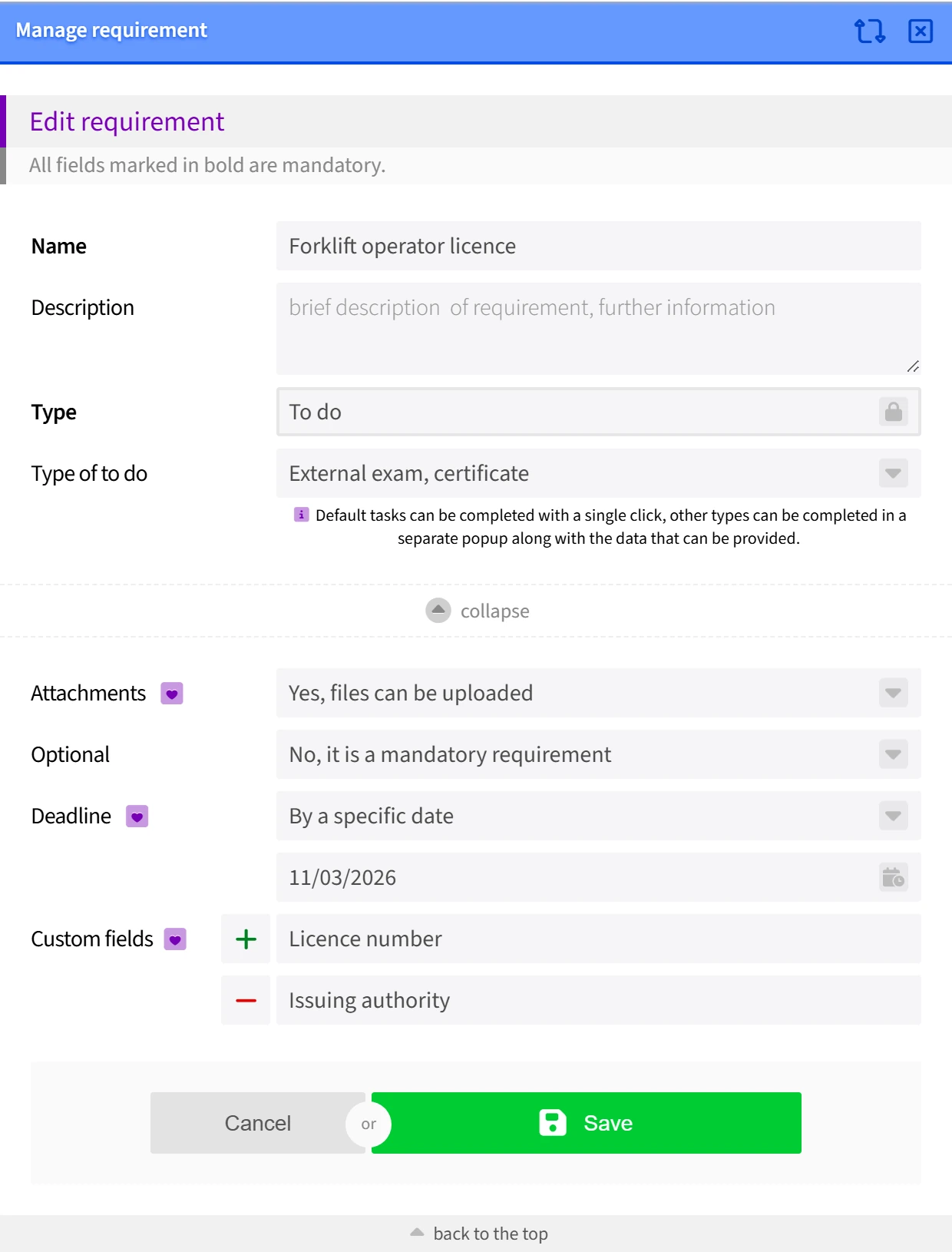
Competencies → the competency → Requirements → the requirement
Record a completion
- On the organization's Members page, open the member's competencies.
- At the requirement, choose Mark as completed (or Edit completion later), and fill in the result, identifier and custom fields. Save.
- Upload the scan with Attachments, and set the validity with Set validity, for example the expiry date printed on the license.
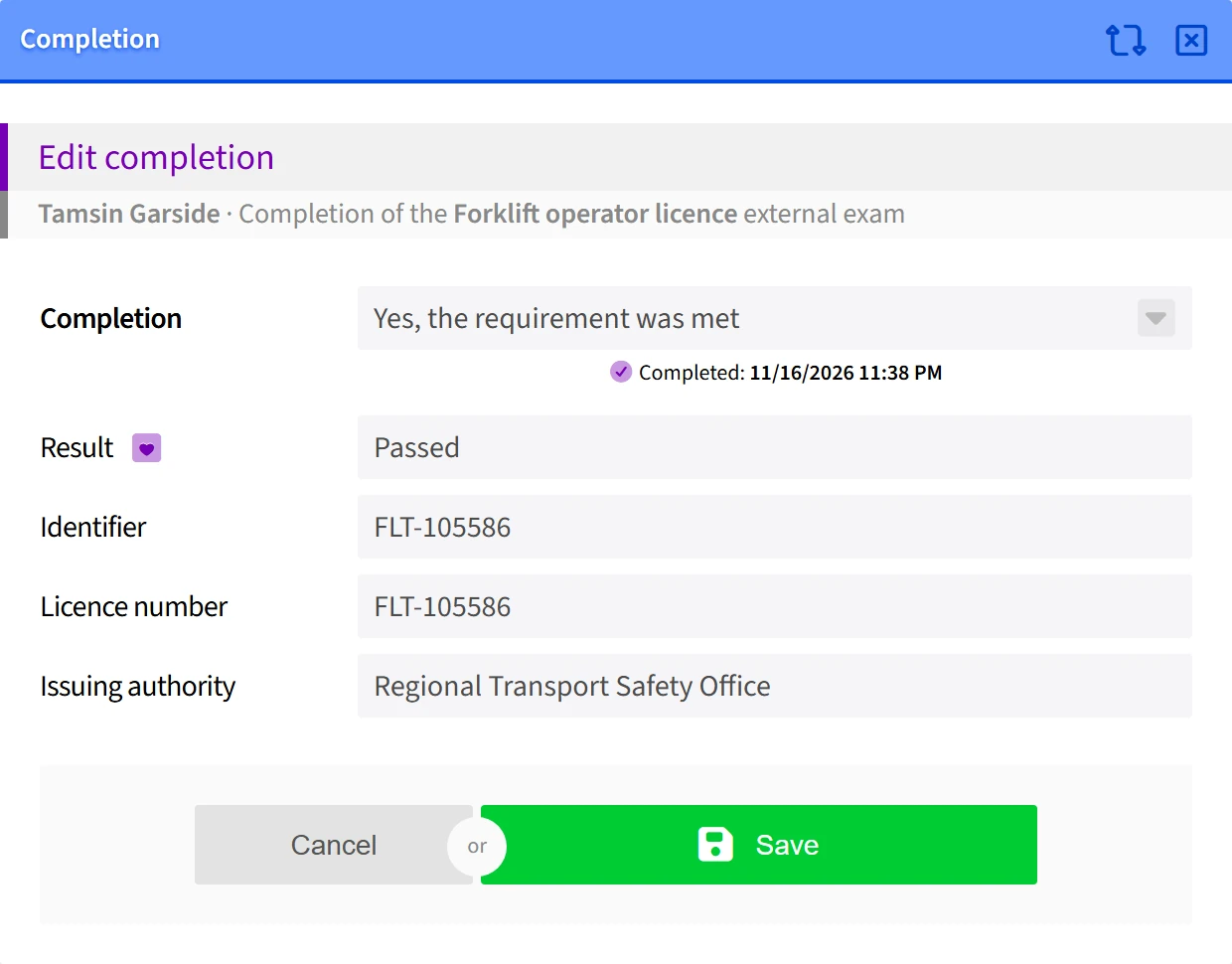
Member competencies → the requirement → Edit completion
Revoke withdraws a completion recorded by mistake. When the validity runs out, the competency becomes expired and the member has to renew it; see Validity periods and deadlines.
The member's record
The member's competencies page shows every requirement with its state, the recorded result and identifier, the instructors of a training, and the buttons for attachments, validity and completion:
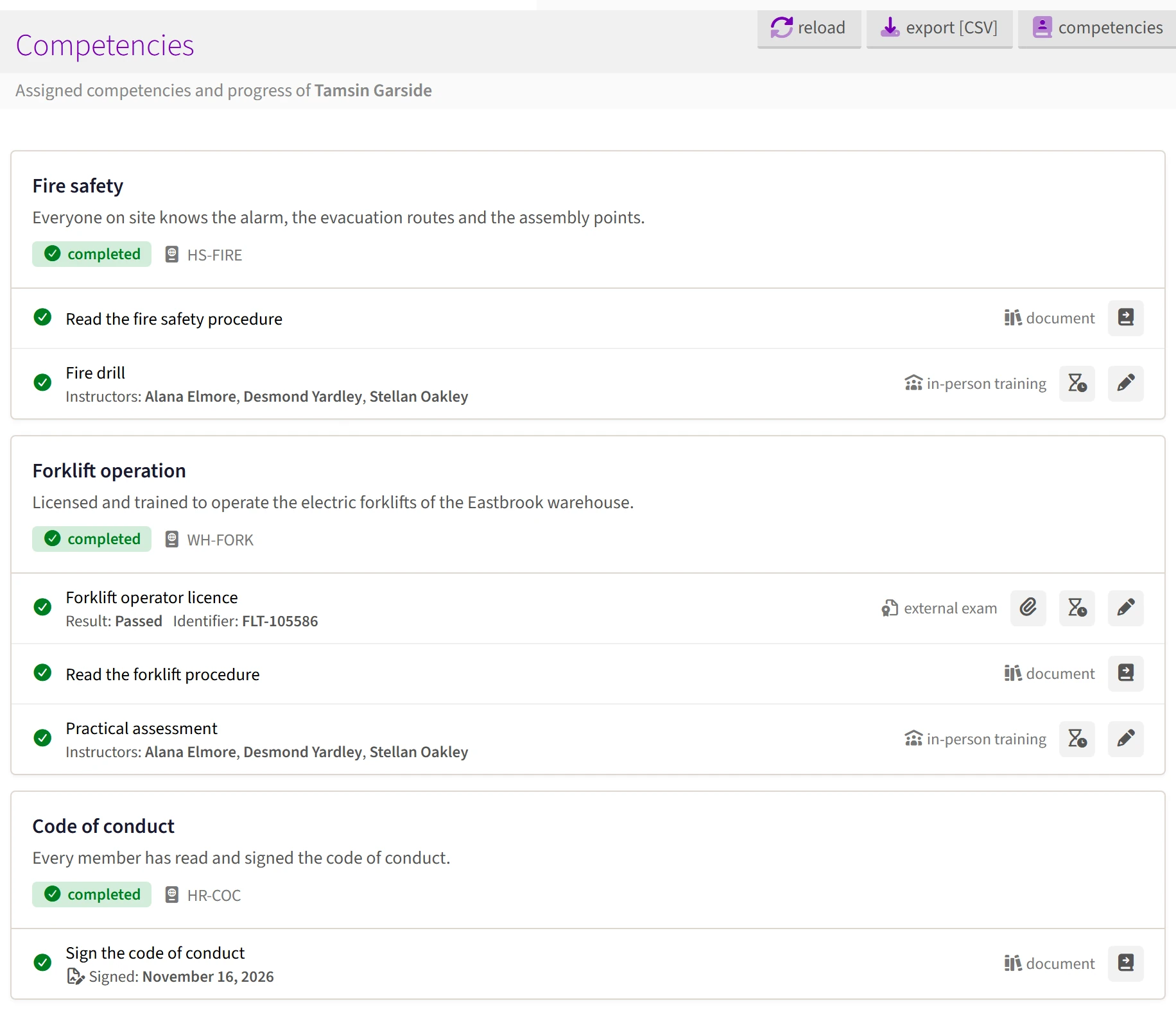
Organization → Members → the member's competencies
Members see the same page for themselves under their competencies, without the buttons to record or change anything.