Assign competencies by department or job role
A competency applies to the people who need it: forklift training to forklift operators, hygiene rules to everyone in production. Assign it by department or job role, and EduBase keeps the list of people up to date as members join, move or leave.
Available on the Business plan. Plans and limits depend on your contract.
Choose who gets it
- On the organization's management page, open Competencies and choose new competency, or open an existing one's menu (...) and choose Manage.
- Expand the form and choose under Assign:
- Organizational units and job roles: everyone in the chosen Departments, and everyone with one of the chosen Job roles. A member who matches either gets it.
- All members of the organization.
- Individually on the members page: you assign it member by member, from each member's page.
- Save.
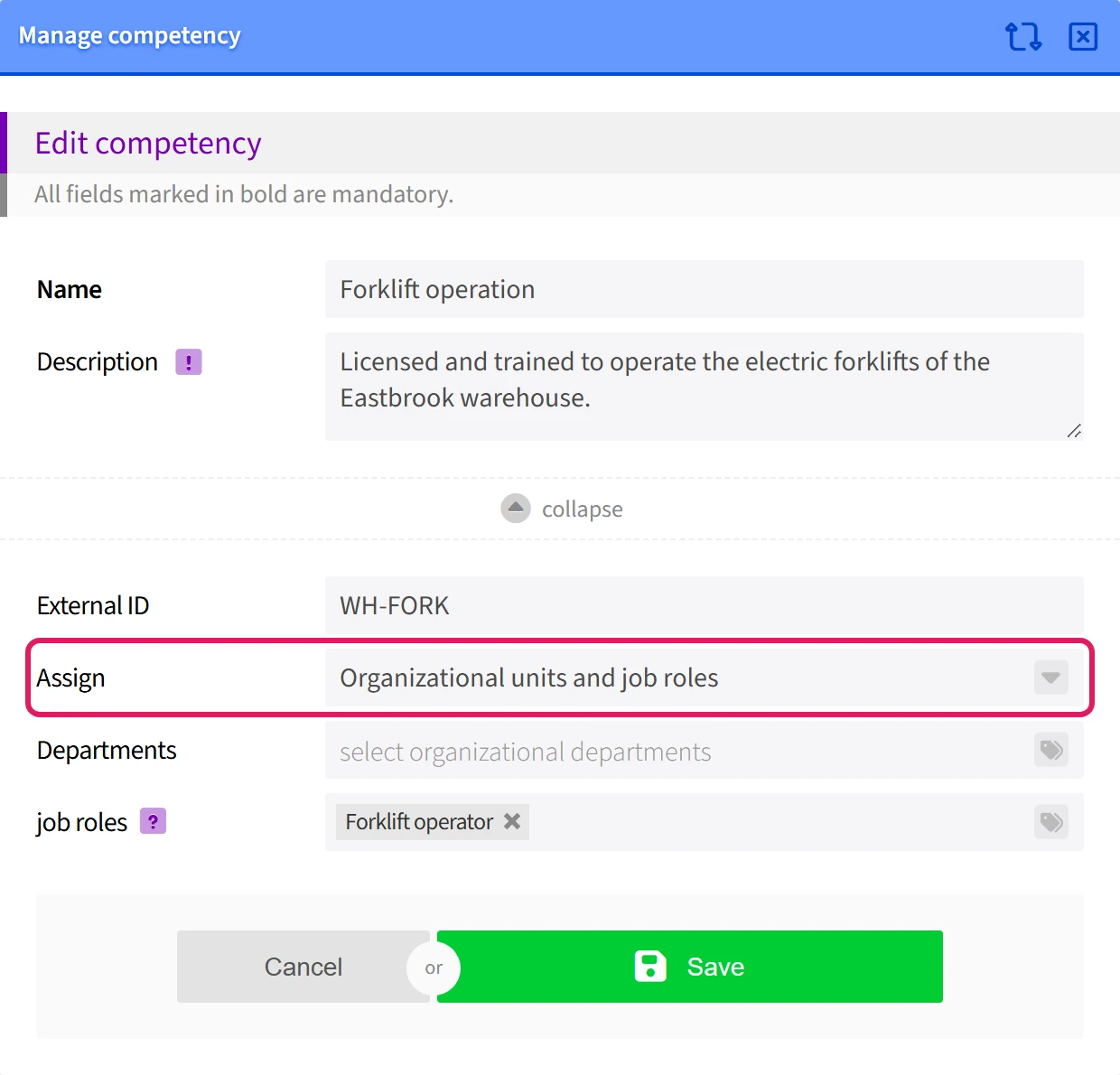
Competencies → the competency → Manage
What happens next
- New members of a selected department or job role get the competency when they join.
- Members who move to another department or job role get the competencies that come with it, and lose those they only had through their previous one.
- The status starts at waiting for everyone new; deadlines counted from the assignment start on that day. See Validity periods and deadlines.
Departments and job roles themselves are set on the organization's members, by hand, over the API or from an HR system. See Departments, hierarchy and leaders, Job roles and HR and enterprise system synchronization.
See the assignments at a glance
The Competencies list shows for each competency whom it is assigned to (for example "1 job role", "2 departments" or "all members"), its documents and requirements, how many members have completed it, and how many are due, overdue, expired or outdated. The filters above the list show only the competencies with members in one of those states.
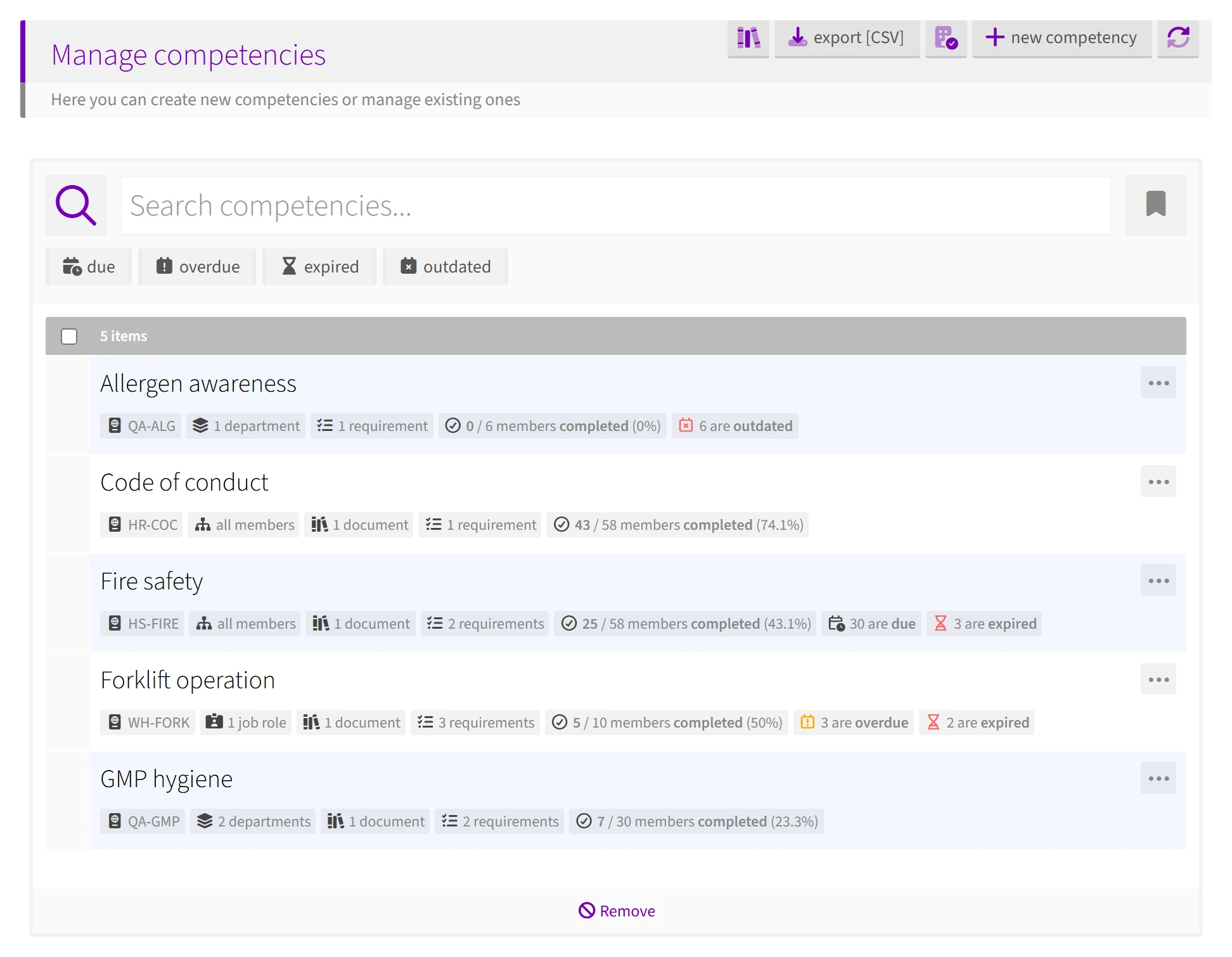
Organization → Manage → Competencies