Read and sign a document
Your organization keeps its procedures and policies in the EduBase library. Some documents you have to read; some you also have to sign, to confirm that you read them.
Available on the Business plan. Plans and limits depend on your contract.
Find the documents waiting for you
Open the library from a requirement on My competencies (Open in the document library), or from the organization's page. Documents waiting for you are marked:
- mandatory: you have to read it.
- to be signed: you have to read and sign it.
The mandatory and not read filters at the top show only those.
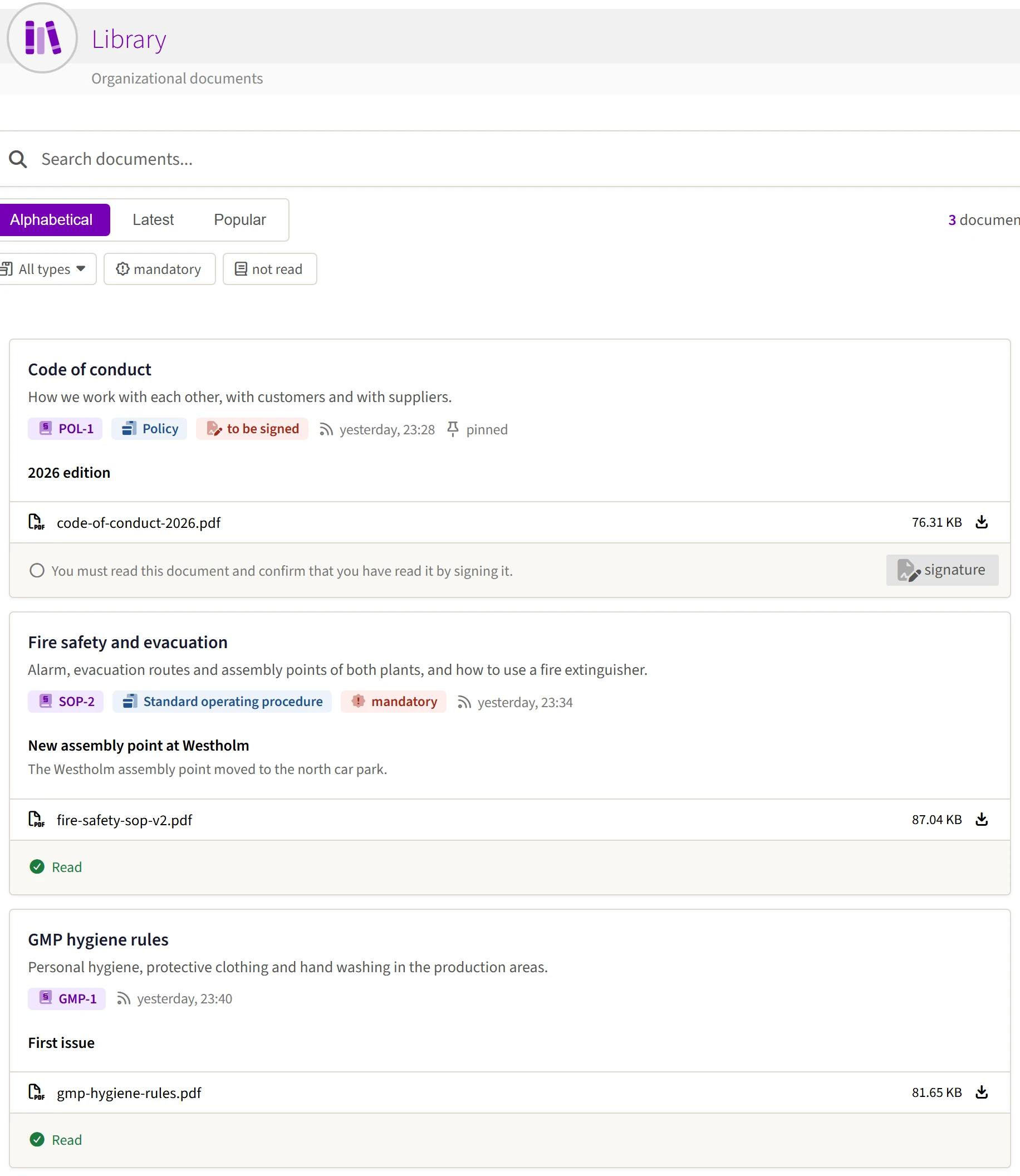
The organization → Library
Read a document
Download its files, or choose mark as read where offered. A green Read mark then appears under the document.
When your organization publishes a new version, you have to read it again: the document is marked again until you do.
Sign a document
- Choose signature on the document.
- Read the files and the statement in the window.
- Tick the checkbox to accept the statement.
- Under Signature, type your full name as it appears in your profile. Capital letters and accents do not matter.
- Submit.
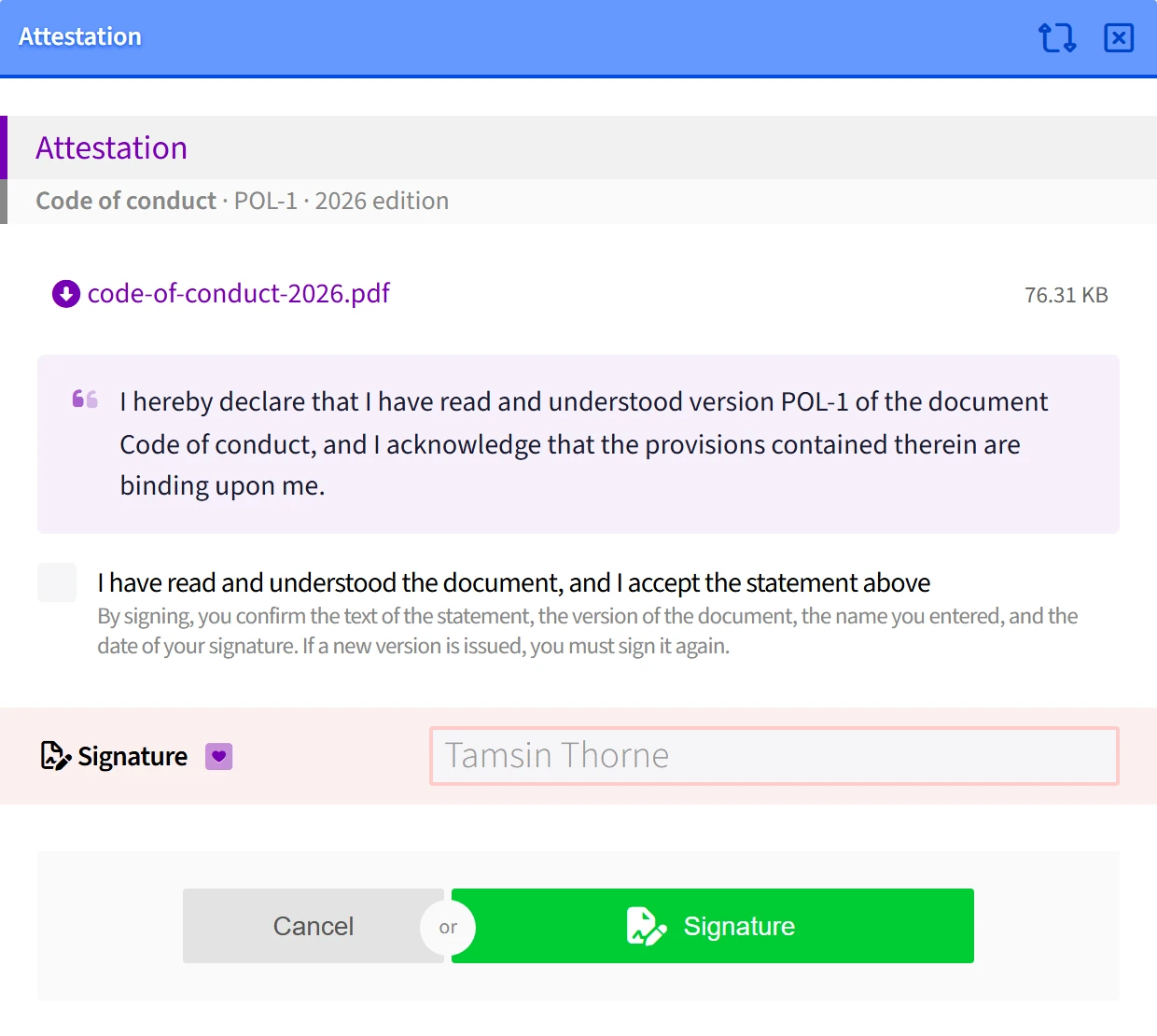
Library → the document → signature
The document then shows Signed: with the date, and statement opens what you signed. Your organization sees your signature with the date, time and a verification code.