My team for department leaders
My team is the page where a department leader in EduBase follows the competencies of the people they are responsible for: who is complete, who has something due, overdue, expired or outdated, and whose deadline comes first. A shift leader or line manager sees their own people by name without needing a management role in the organization, and cannot change anything there.
Who sees it
Everyone who leads at least one department. Leaders are set on the department; see Departments, hierarchy and leaders. The team is every member of the departments they lead, including every department below them in the hierarchy.
Open My team
- As a department leader: on the organization's management page, open Compliance, then my team.
- As an organization manager who also leads a department: the My team tile on the organization's management page.
Read the page
At the top, four figures: the members of the team, how many requires attention (anything due, overdue, expired or outdated), how many are overdue, and the team's completion. Below them, search by name or department and filter to everyone, requires attention, overdue, expired, outdated or due.
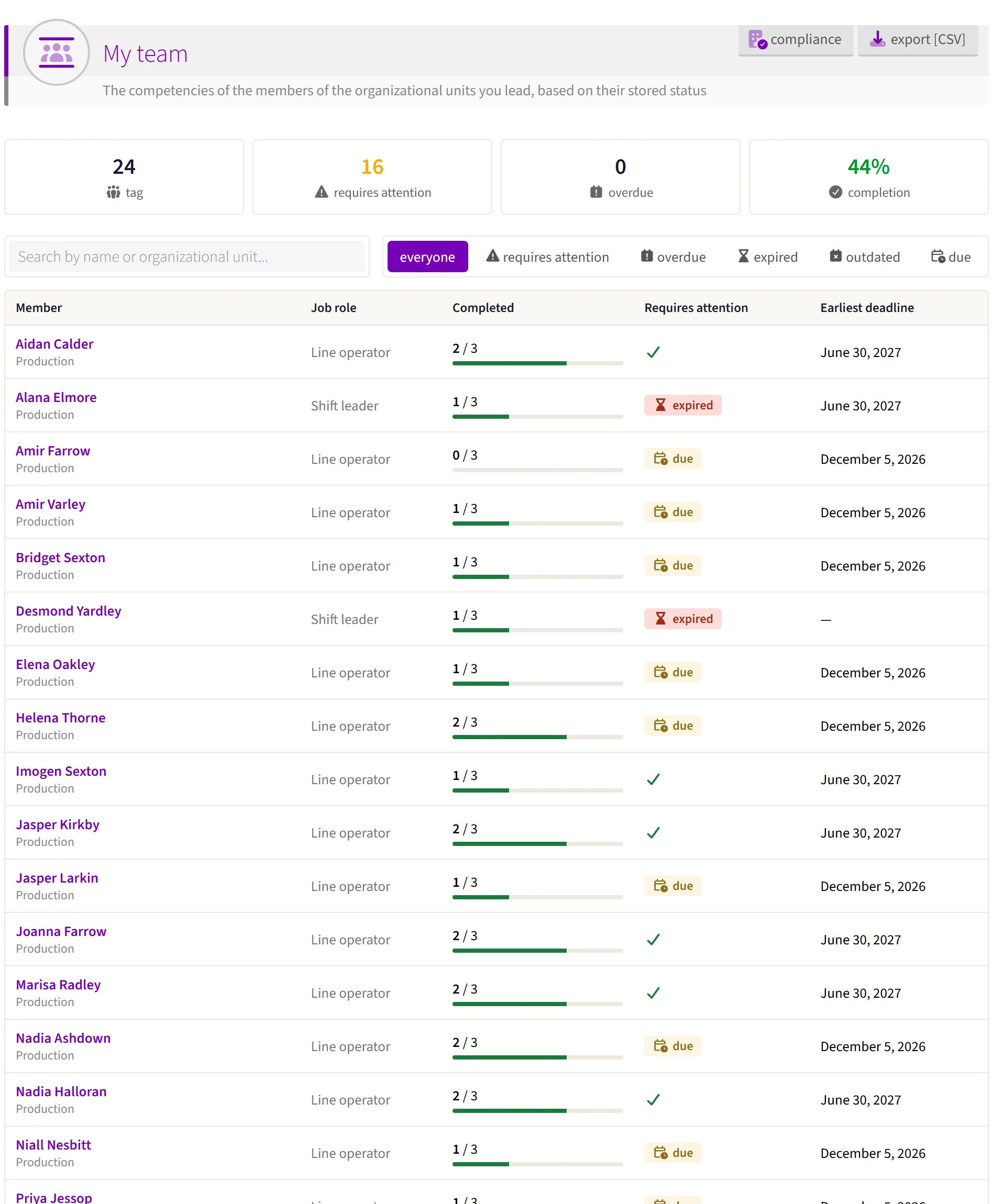
Organization → Compliance → my team
Each row shows the member, their department and Job role, Completed competencies out of those assigned, what Requires attention (a check mark when nothing does), and their Earliest deadline. The page reads the stored statuses, the same ones the compliance overview uses; for what each status means, see Competency statuses explained.
Look at one member
Click a name to see that member's competencies: each with its status and external ID, and each requirement with what kind it is and whether it is done. The view is read-only.
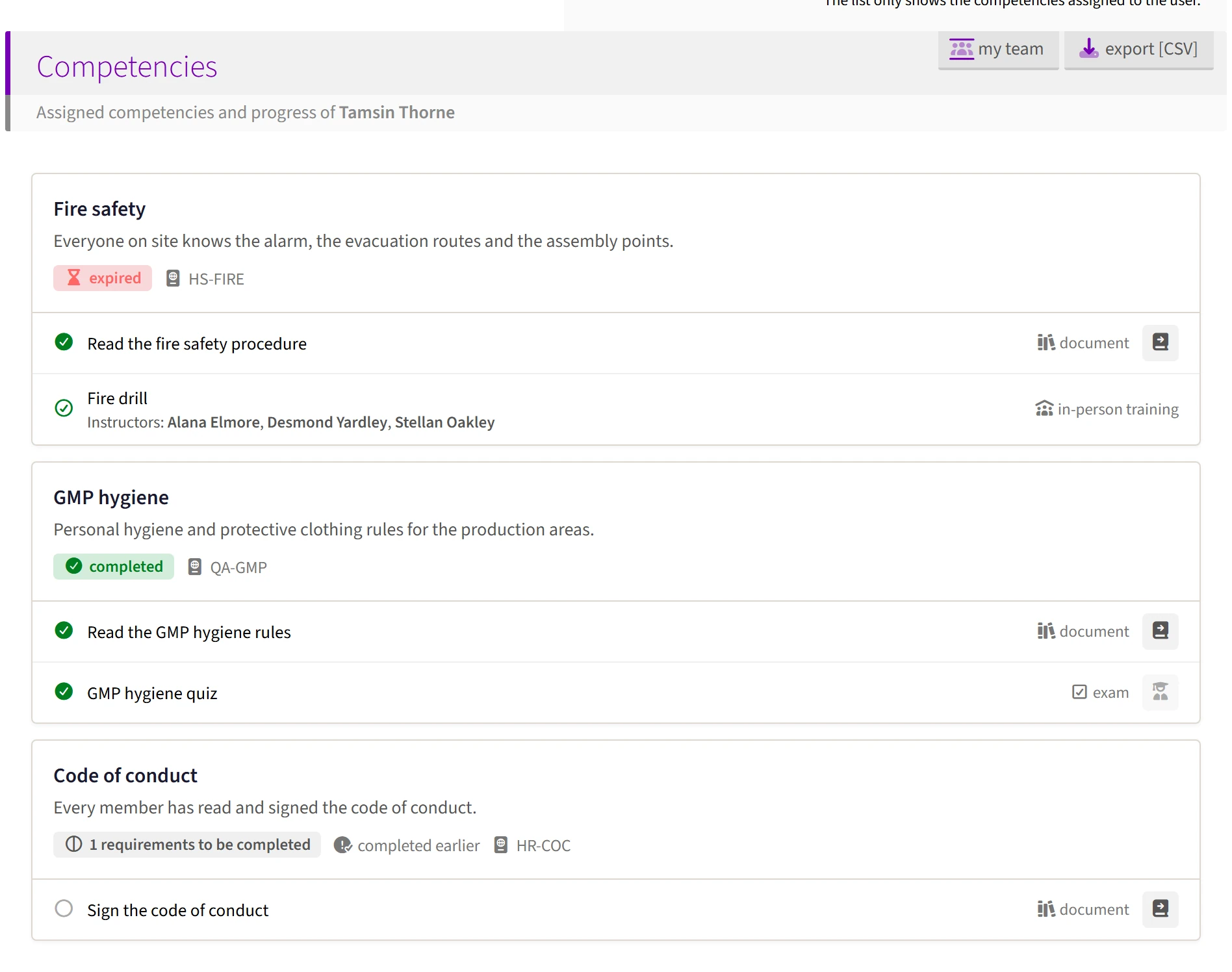
My team → a member
Export the team
export [CSV] on My team downloads one row per member and competency: name, contact details, username, competency and its external ID, completed and total requirements (and optional ones), status, completion date, validity and deadline. The member's page has the same export for that one person. The file is separated by semicolons.
Limits
- My team is read-only: leaders cannot record training, change deadlines or assign competencies there. That stays with the organization's managers.
- A leader sees only the departments they lead and those below them, not the rest of the organization.
- Leaders hear about their overdue people by message as well; see Reminders and escalation.