Build a learning path
A learning path is a class whose items appear one after the other: members see the next item only when they have completed the current one. Each item has its own completion rule, such as reading a post, opening a link, watching a video or reaching 80% in a quiz. The screenshots show the demo food manufacturer's onboarding path for new line operators.
1. Create the class
Open Manage my classes, choose new class, give it a title and, for a company, the organization it belongs to. Add the people who should follow the path as members. See Create a class and Invite members and manage membership.
2. Show the contents in order
- On the class's management page, open Basic data and settings.
- Next to Contents, choose the current order and select In custom order with optional progression rules. Save.
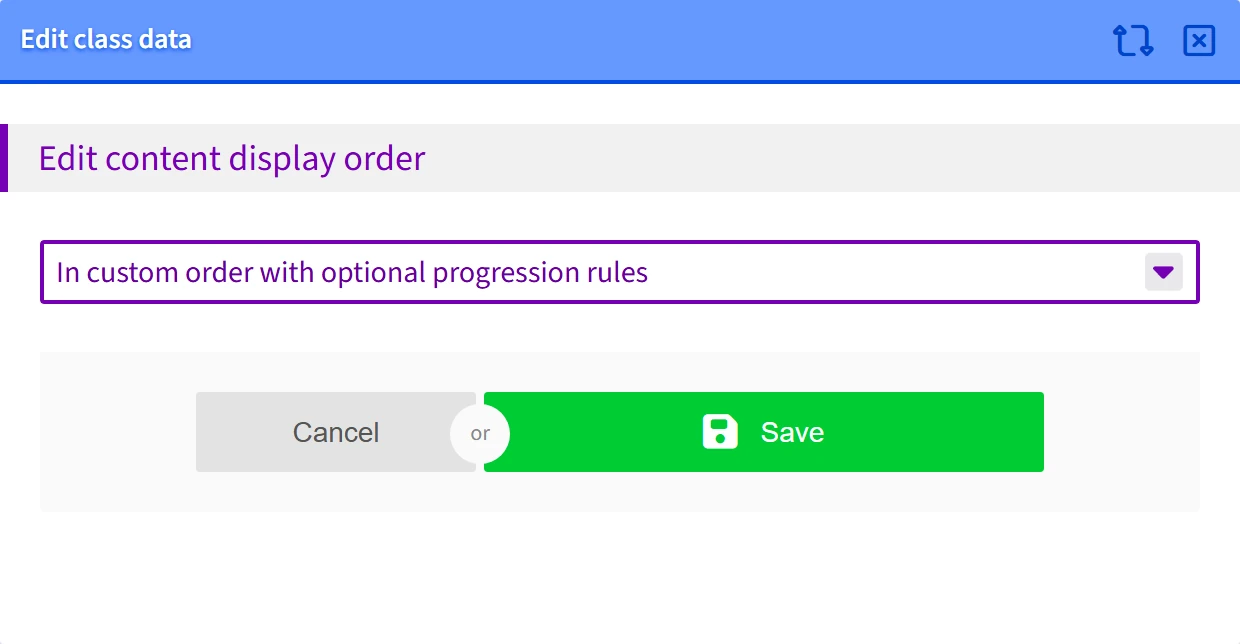
Manage class → Basic data and settings → Contents
Items now appear oldest first, in the order you add them; sort on the class's Contents page changes the order. A class with more than 32 items cannot be switched to this order.
3. Add the items and their rules
Add the items with new contents: posts, files, links, videos, practice quizzes, exams, assignments, SCORM packages, live sessions and more. In each item's editor, open Progression rules and choose the Rule:
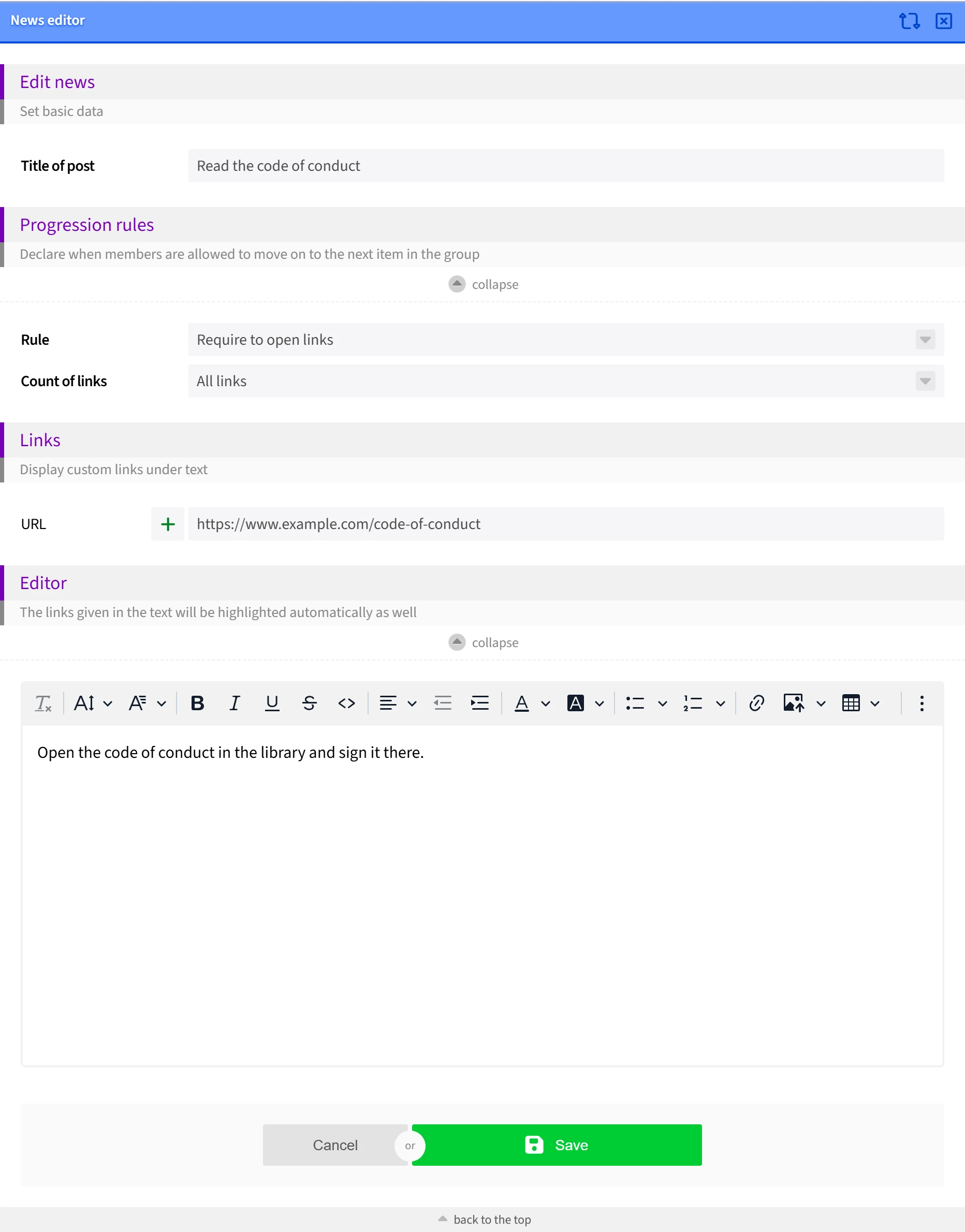
Class → the item → edit → Progression rules
The demo path uses four rules:
| Step | Item | Rule |
|---|---|---|
| 1 | Welcome post | Require to thank content: the member acknowledges it. |
| 2 | Post with a link to the code of conduct | Require to open links, all links. |
| 3 | Practice quiz | Require to finish test with a given result: at least 80%. |
| 4 | "Shadow a shift leader" | After specified waiting time: 48 hours after the previous step. |
An item with the rule None is completed as soon as it is shown. All 22 rules, from video watch time to graded assignments and journey outcomes, are in Completion rules.
What members see
Completed items are marked completed. Below the current item, a Complete tasks to move on! box says what is still needed, and the items after it stay grayed out:
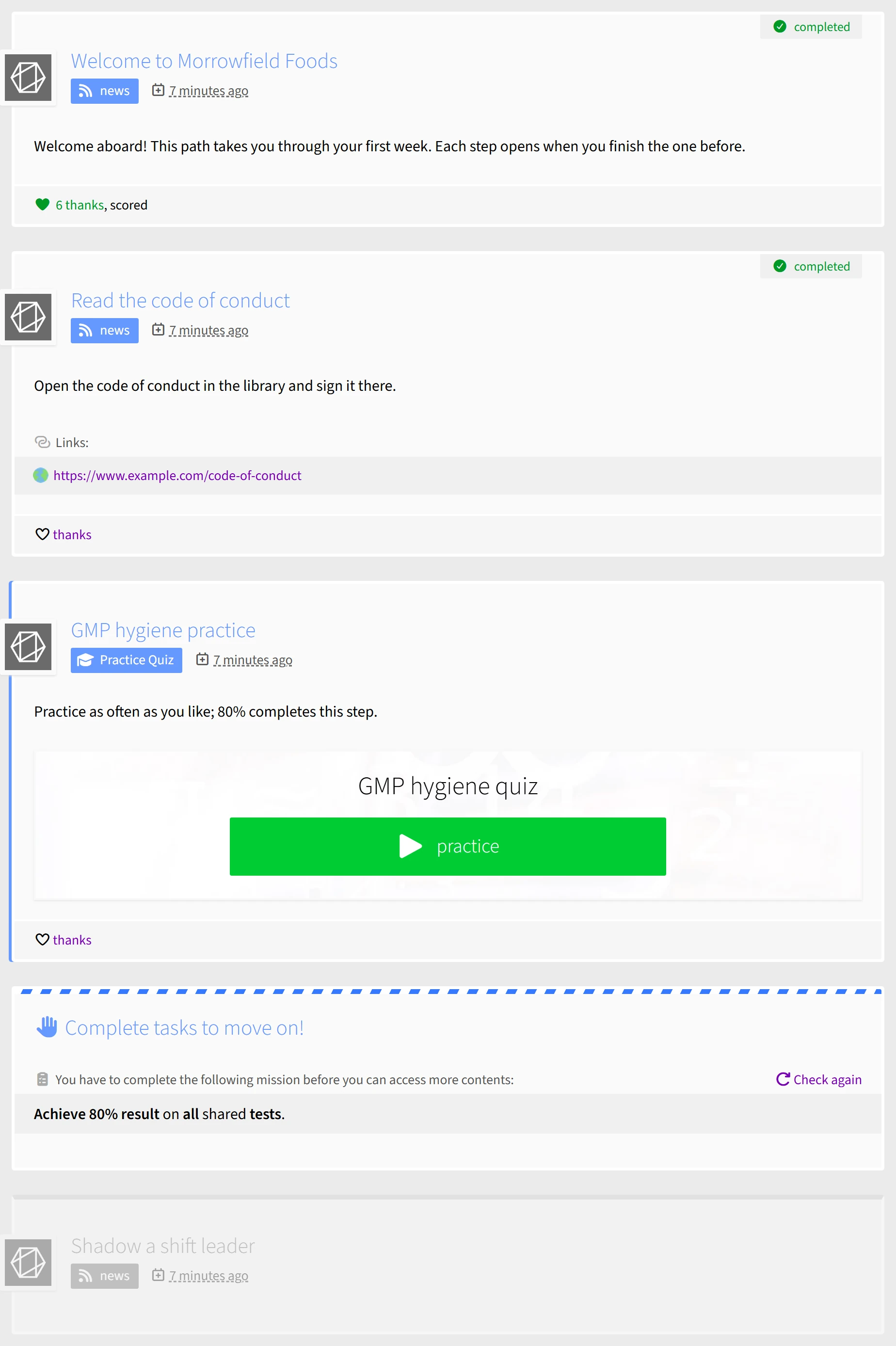
The class page, as a member
Check again re-evaluates the rule, for example after finishing the quiz in another window.
When the path is complete
When the last item's rule is met, the member has completed the class, with the date. A completed path can be a competency requirement, so finishing onboarding counts toward a member's compliance, or a step in one of the learning journeys.
Limits
- Up to 32 items in a class shown in order with progression rules.
- A rule that needs a result can leave members stuck if the test cannot be retaken: use practice quizzes, which can be repeated.
Related
- Completion rules
- Require videos to be watched in full
- Share content on the class wall
- Onboard new hires