Answer, navigate and submit
This page explains the test screen: where the question is, how to answer and move on, and how to finish. To get to the test, see Join an exam with a link, QR code or PIN or Take your first exam.
The test screen
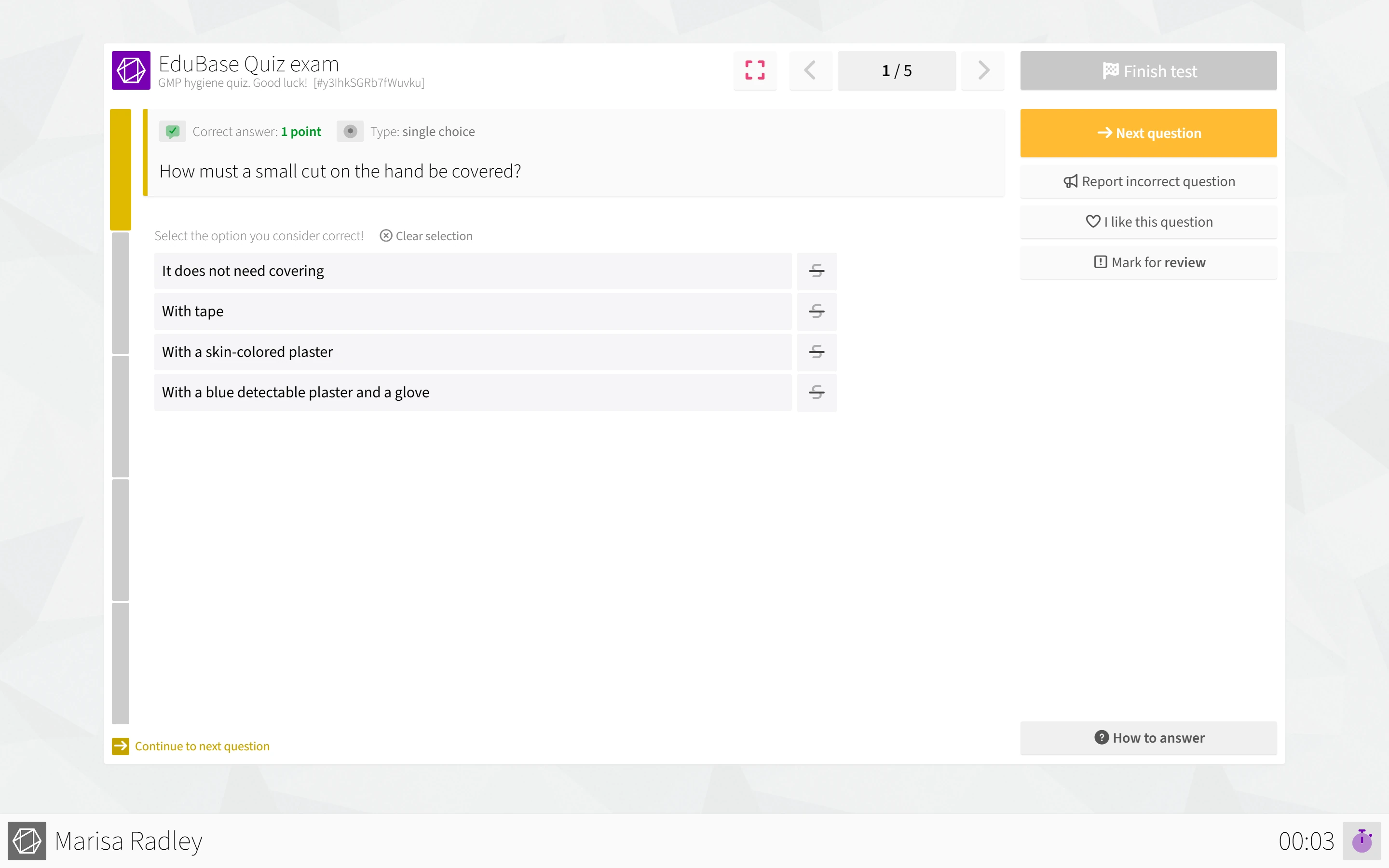
The test, after Begin test
- The question is in the middle, with its type (for example single choice) and the points it is worth.
- Answer by choosing an option, typing, dragging or whatever the question asks; How to answer explains the current question type. Clear selection removes your choice.
- Mark as incorrect (the crossed-out button next to an option, where shown) marks an option you have ruled out. It does not answer the question.
- The clock at the bottom right shows the time.
Move between questions
- Next question takes you on; the arrows next to the counter (1 / 5) go back and forth. Alt+Left and Alt+Right do the same.
- The bar on the left shows every question. Double-click a question in it to jump there.
- Mark for review flags a question you want to check again later. Next question to review then takes you to the flagged ones.
- Full-screen mode (the button left of the arrows) hides everything else.
Your answers are saved as you go. If the connection drops, do not reload or close the page: wait until it is back. See If something goes wrong.
Finish
When you are done, choose Finish test and confirm with Yes. If you have not opened or answered every question, EduBase warns you first:
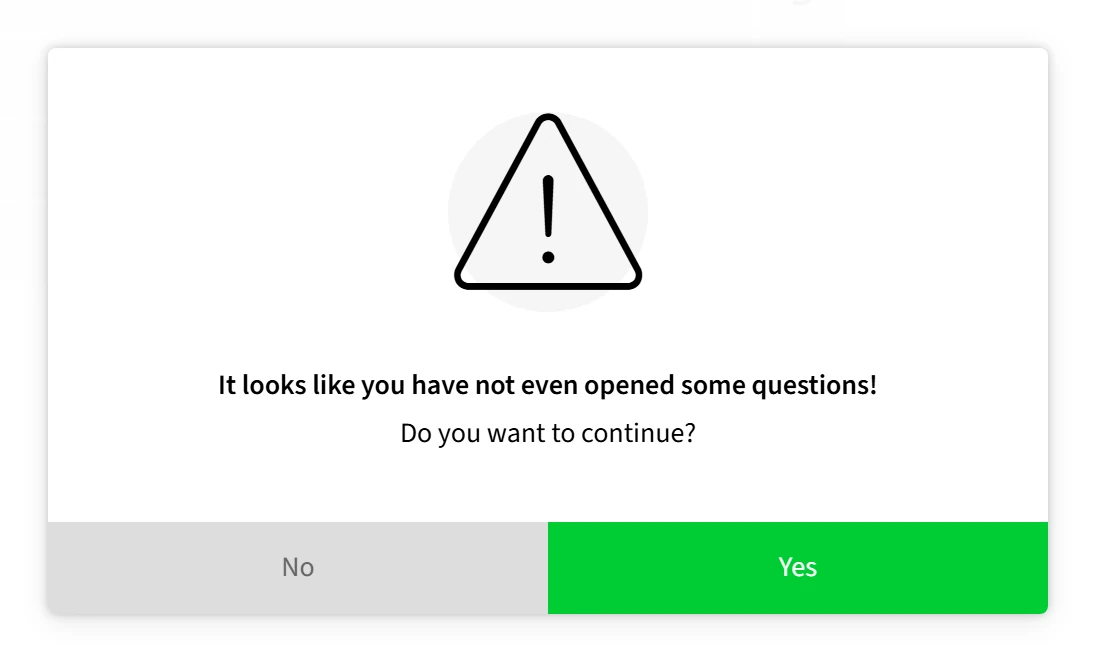
Finish test
Choose No to go back to the test. After Yes, you can no longer change your answers. If time runs out, the test is submitted with the answers you gave.