Give every participant different numbers
A parameterized question generates new values every time it is asked, so each participant solves the same task with their own numbers. Copying a neighbor's answer stops working, and one question gives endless practice. This page builds one such question; every parameter type is in Parameter types and constraints.
How it works
You write the question once, with placeholders such as {mu} instead of numbers. Each placeholder is a parameter with a rule: a random whole number in a range, a value from a list, or a formula calculated from other parameters. When a participant starts the test, EduBase picks the values, puts them into the question, and calculates the correct answer from the same values. Results show each participant the numbers they had.
Example: a z-score question
The demo statistics exam asks for a z-score: "Scores on a national test are normally distributed with a mean of {mu} points and a standard deviation of {sigma} points. What is the z-score of a student who scored {x} points?"
1. Write the question with placeholders
In the question editor, write the question text with the parameter names in curly brackets, as above. Set the Correct answers to {z}, the parameter that will hold the result.
2. Define the parameters
- Choose more options under the editor, then open Parameters.
- Set Generated parameters to Manually defined.
- Add each parameter with its name, type and values, and Add another parameter for the next:
| Name | Type | Values |
|---|---|---|
mu |
INTEGER | range 55 to 75 |
sigma |
INTEGER | range 6 to 12 |
x |
INTEGER | range 40 to 98 |
z |
FORMULA | ({x}-{mu})/{sigma}, precision 4 |
A formula can use parameters defined above it. Keep the formula's precision higher than the precision you ask for, and let the question's tolerance absorb the rounding: this question expects 2 decimal places and accepts an absolute tolerance of 0.01. See Tolerance, partial credit, penalties, rubrics and skills.
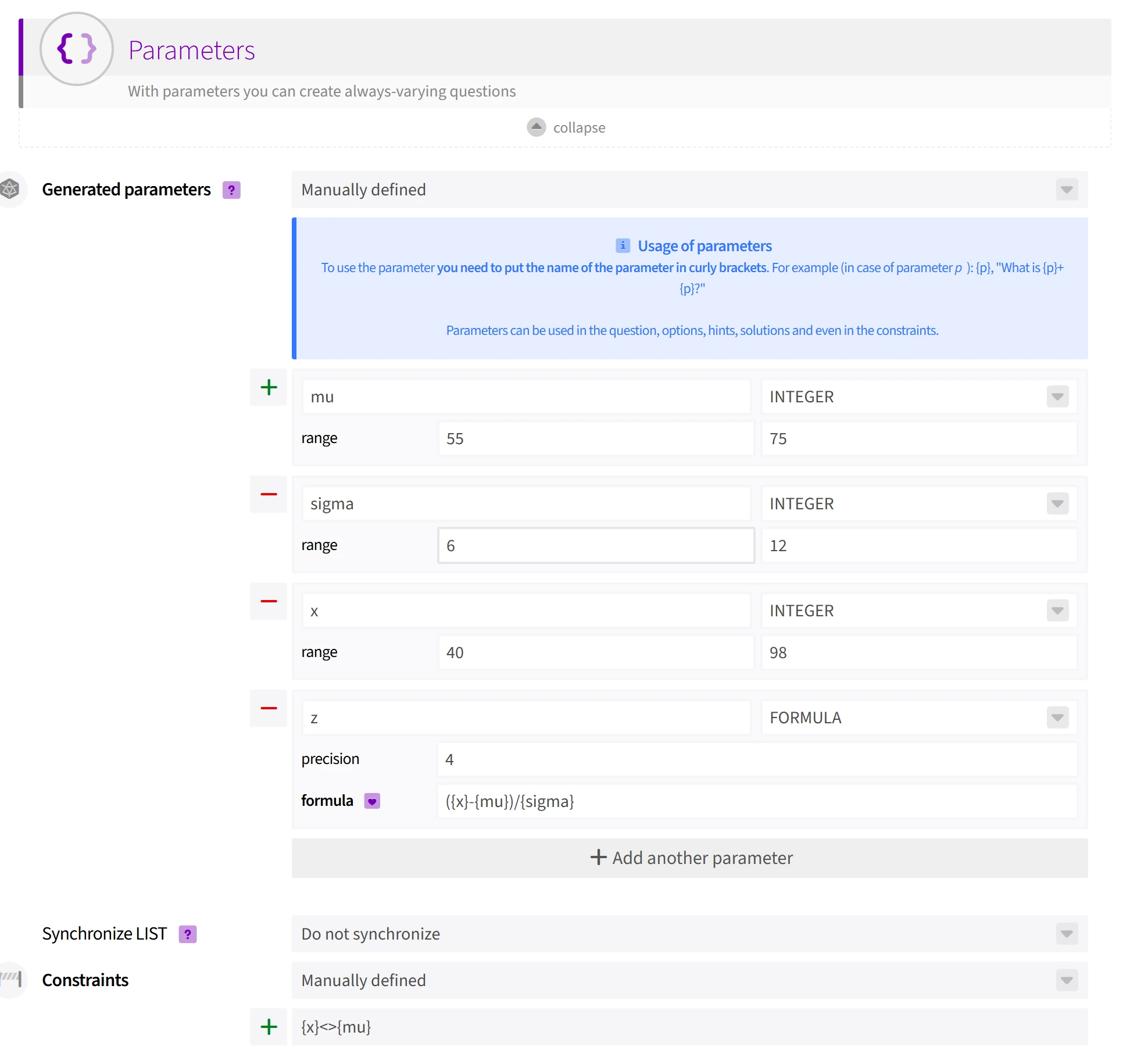
Question editor → more options → Parameters
3. Rule out unusable combinations
A z-score of 0 is a giveaway, so the score should never equal the mean. Set Constraints to Manually defined and add {x}<>{mu}. EduBase generates values until every constraint holds.
4. Save and try it
Save, then choose try to take the question yourself. After saving, EduBase also tests the question automatically: if generation fails too often, for example because the constraints are too tight, the question is marked inactive and left out of tests until you fix it. See When a question cannot be generated.
What participants get
Two participants of the same exam, the same question:
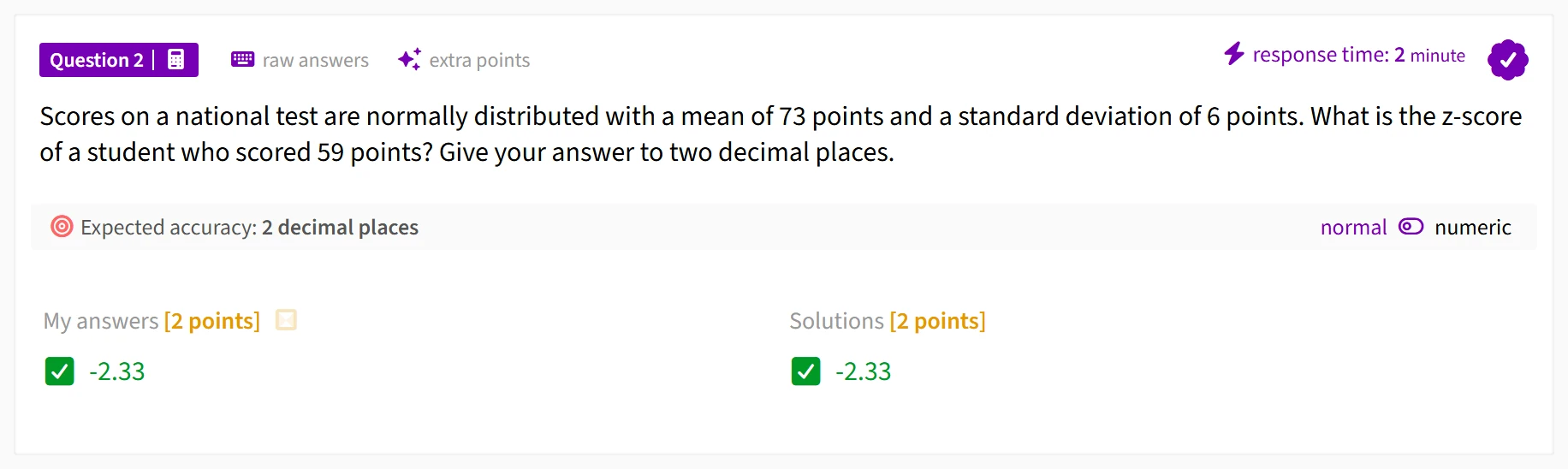
Exam → Users and results → a participant's result
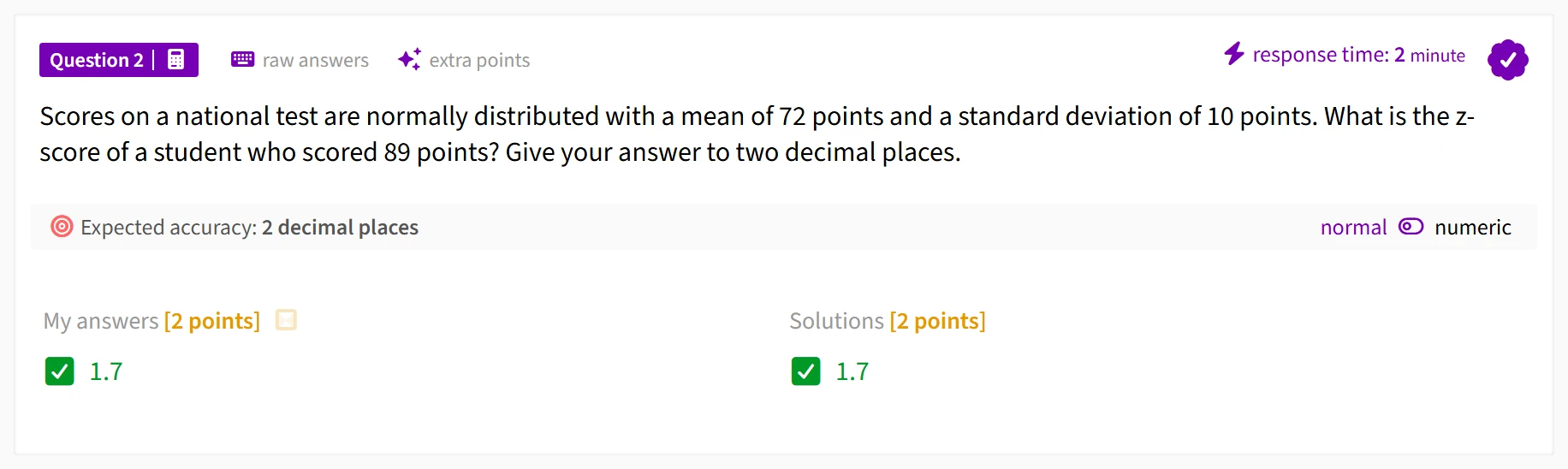
Exam → Users and results → another participant's result
Both were marked correct against their own numbers.
Tips
- Prefer narrowing a range to adding a constraint: generation is faster and never fails.
- Use LIST for words and names (
{metal; LIST; copper; iron; zinc}), and PERMUTATION to shuffle values. - Parameters also work in options, hints, solutions and attachments, so a dataset file can be generated for each participant.
- In an Excel or EDU upload and over the API, parameters go in one field:
{mu; INTEGER; 55; 75} &&& {sigma; INTEGER; 6; 12} &&& {x; INTEGER; 40; 98} &&& {z; FORMULA; ({x}-{mu})/{sigma}; 4}. See Import questions in bulk.