Require videos to be watched in full
For mandatory training, "I clicked play" is not enough. In strict playback mode, a video cannot be skipped ahead, plays in one place at a time, and counts as watched only when the member has seen practically all of it. Put it in a learning path, and the next step opens only after a real viewing.
1. Turn on strict playback
- Add the video under My videos with new video: from EduBase hosting or from a provider such as YouTube or Vimeo, depending on your plan. See Video hosting and providers.
- On the video's page, open Basic data and settings, expand Settings and turn on Strict playback mode. Save.
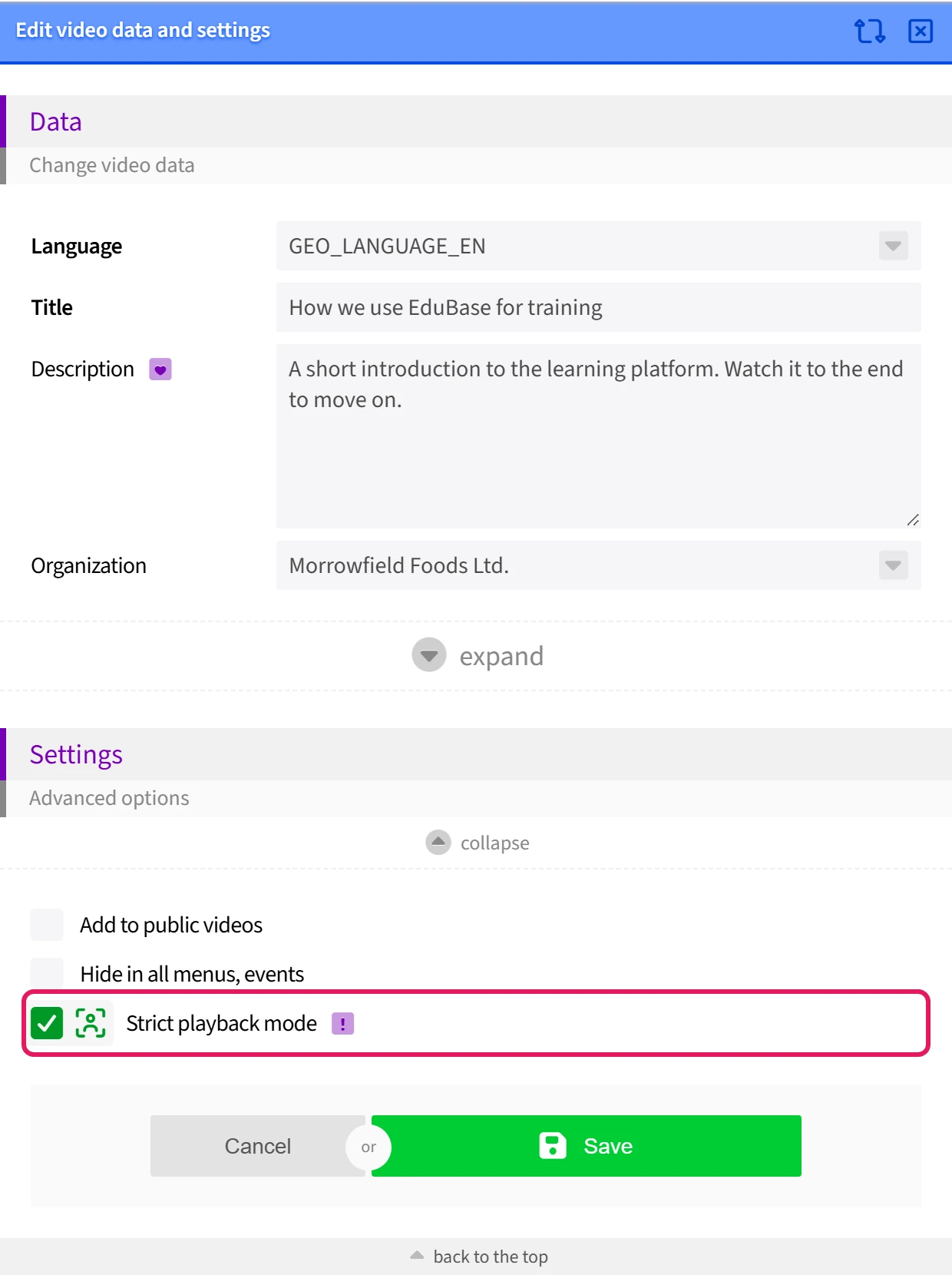
My videos → the video → Basic data and settings
Strict mode is available for recorded videos; live streams and interactive presentations do not have it. The video's page then shows strict playback under its title.
2. Require it in a learning path
- Add the video to a class whose contents are shown In custom order with optional progression rules: new contents → video.
- In the item's Progression rules, choose Require to watch videos and All items under Count of contents.
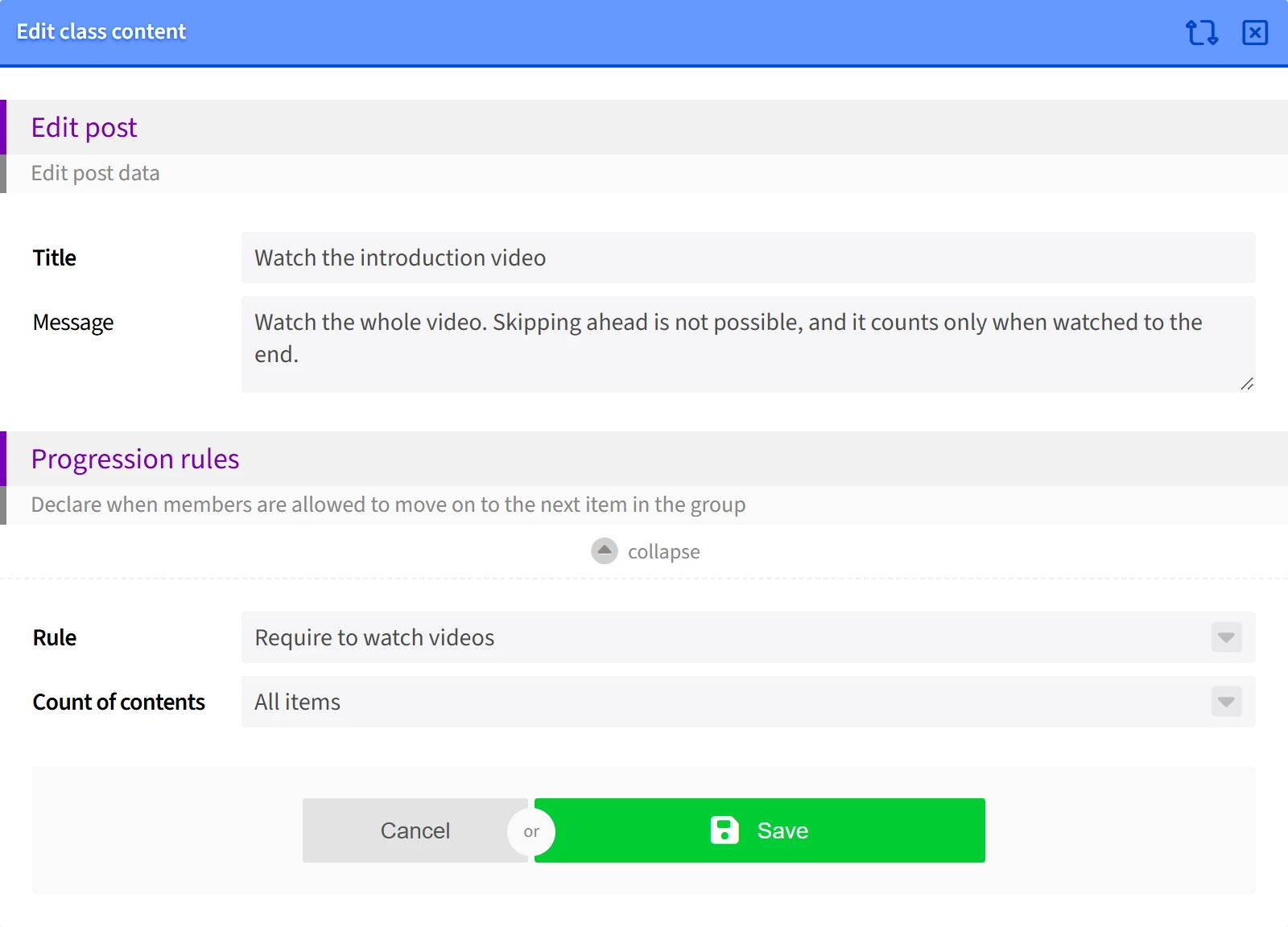
Class → Contents → the video → edit → Progression rules
The next step of the path opens when the member has watched the video to the end. Require to watch videos for a given time is the alternative when watching part of it is enough. See Completion rules.
What strict mode does
- No skipping ahead. Members cannot jump past the furthest point they have reached.
- One place at a time. The video plays on one device or tab at a time.
- Measured, not declared. It counts as watched only after 95% of its length has been watched; there is no "mark as watched" button.
- Resumes. Members who leave continue from where they stopped.
EduBase records each member's watched time and furthest position; that is what the rule checks.
Good to know
- The length comes from the provider. For a YouTube or Vimeo video, EduBase reads the length from the provider. Until it knows the length, it cannot verify a strict viewing, and any viewing counts. Check that the video's length shows correctly before you rely on it.
- Count only what you can prove. A strict video in a learning path that is a competency requirement turns "watched the safety video" into recorded evidence.
- Keep videos short. Members cannot skip what they already know, so several short videos work better than one long one.