Require a signed attestation
For a code of conduct, a policy or a safety rule, downloading the file is weak evidence. With a signed attestation, members confirm that they have read and understood the document by accepting a statement and typing their name. EduBase keeps each signature with the exact statement, the document version and a verification code.
Available on the Business plan. Plans and limits depend on your contract.
Turn it on
- In the Library, open the document's menu (⋮) and choose Manage.
- Expand the form and set Signed statements to Yes, members must sign it.
- Optionally, write your own Text of the statement.
{document}and{version}are replaced by the document's name and version code. Left empty, the default statement is used. - Save.
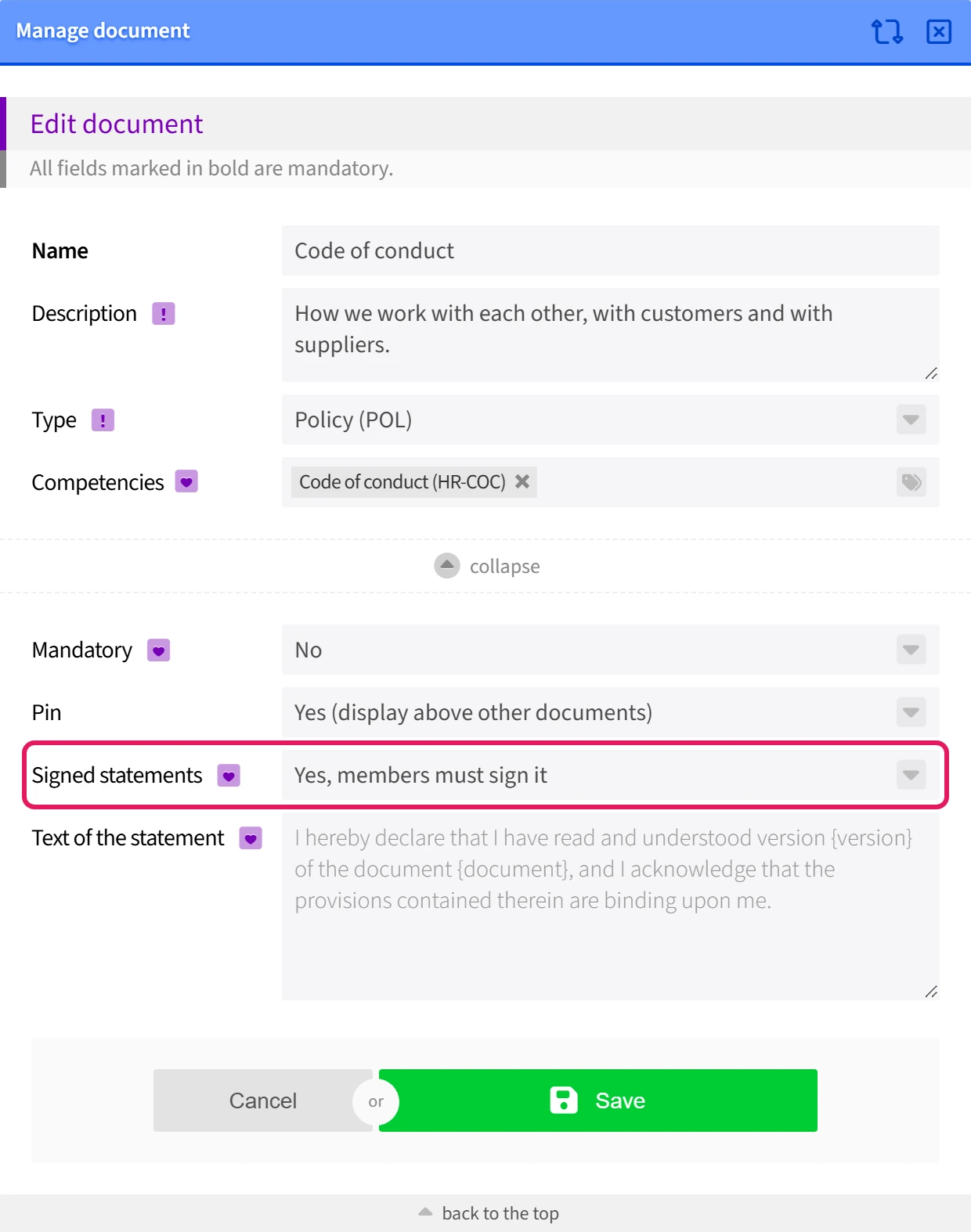
Library → the document → Manage
The document is now labeled to be signed. Downloading it alone no longer counts as reading it.
How members sign
Members choose signature on the document. The window shows the files, the statement, and a checkbox to accept it. They sign by typing their full name as it appears in their profile; capital letters and accents do not matter.
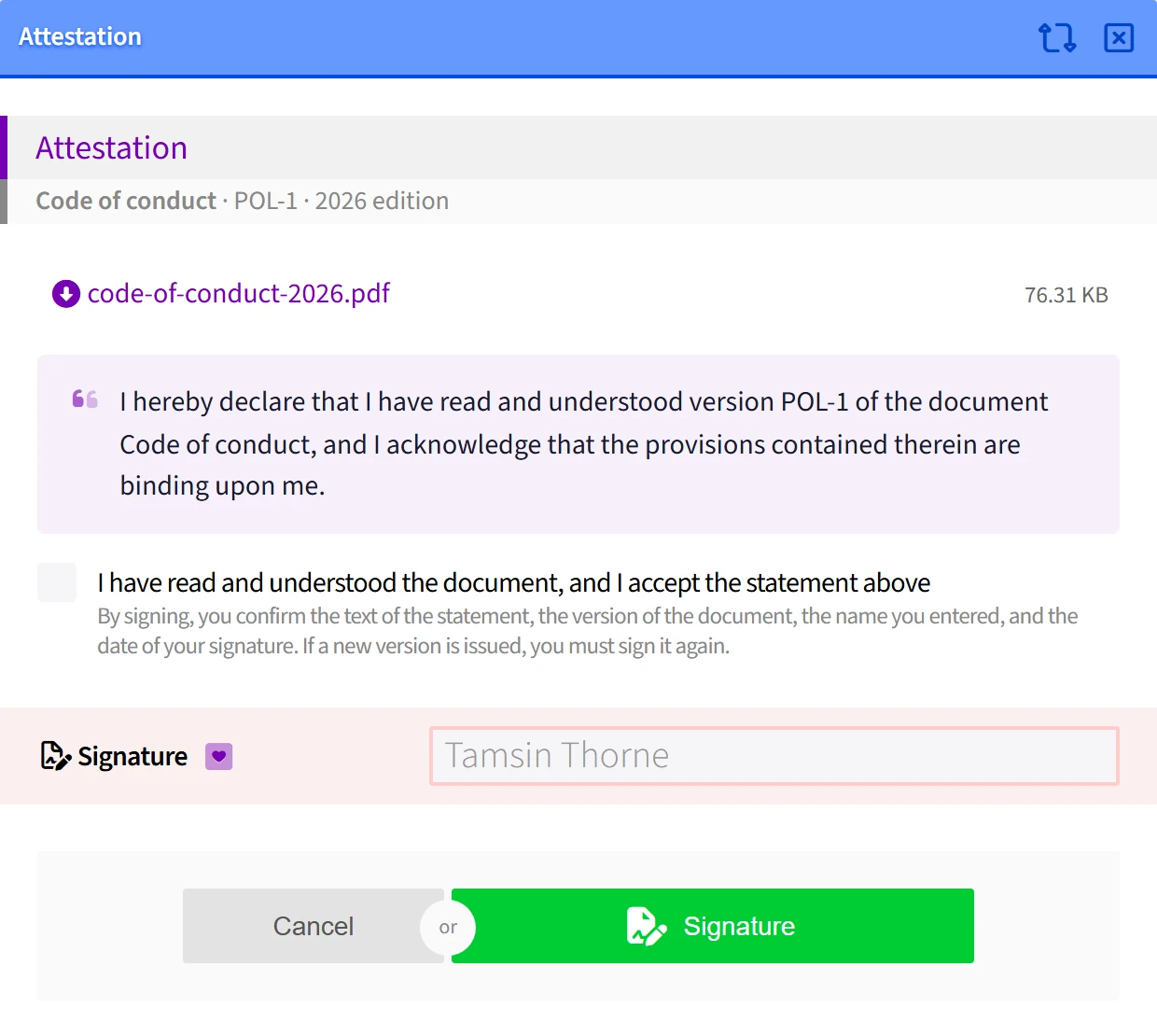
Library → the document → signature
Once signed, the document shows Signed: with the date, and statement opens what they signed.
See who signed
The document's Signed statements list every signature of each version: the member, the name they typed, the date and time, and a verification code.
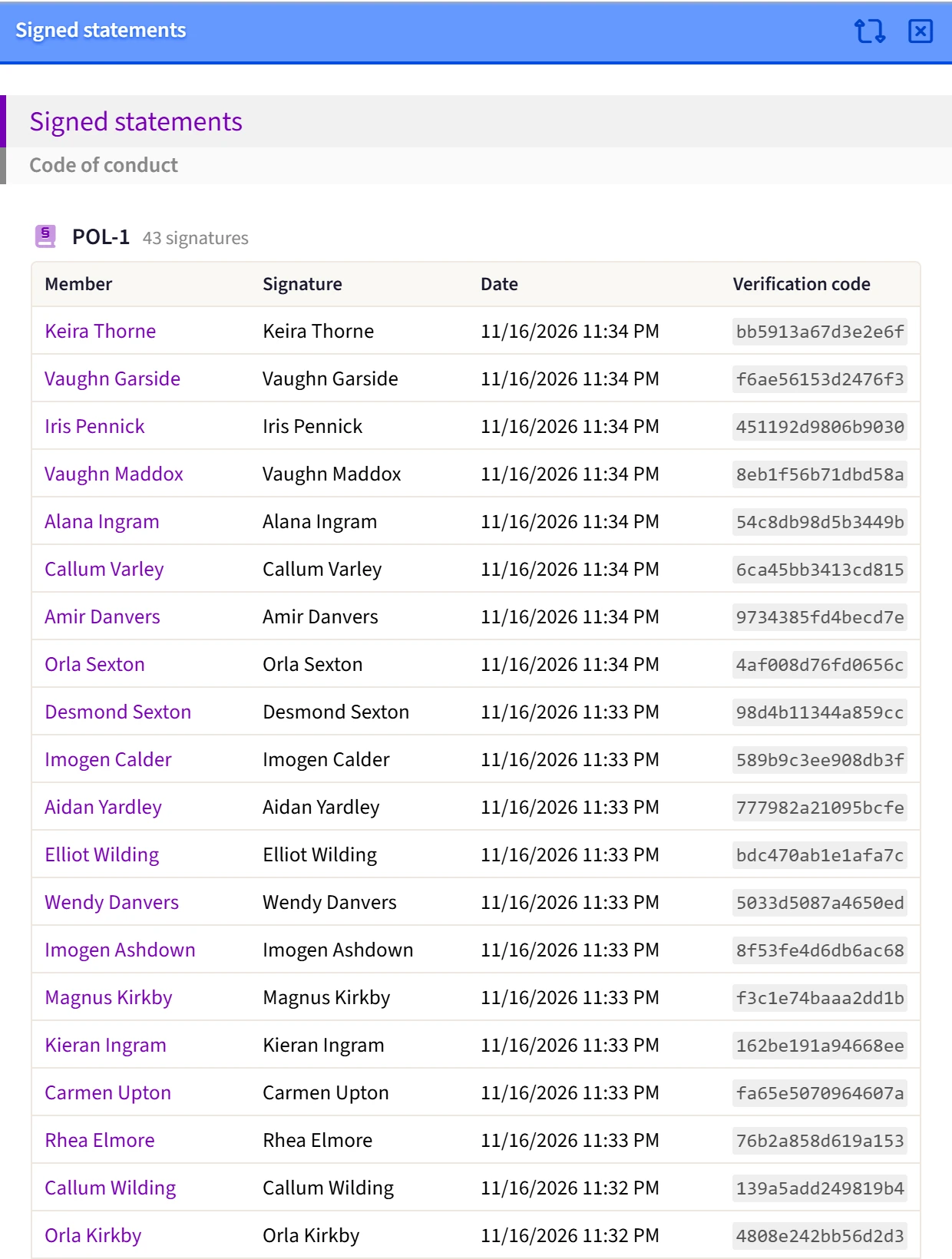
Library → the document → Signed statements
The verification code is calculated from the statement, the version, its files, the typed name and the time. If any of these were changed afterwards, the code would no longer match.
New versions
A new version has to be signed again; earlier signatures stay in the list under their own version. A signed document fulfills the document requirements built on it, so a competency like "Code of conduct" is completed by signing. See Requirement types.