Set up required reading
Required reading makes sure everyone has read a document, and has read its current version. EduBase tracks who has read it and asks everyone again when a new version is published.
Available on the Business plan. Plans and limits depend on your contract.
Turn it on
- In the Library, open the document's menu (⋮) and choose Manage.
- Expand the form and set Mandatory to Yes, every member must read it. Save.
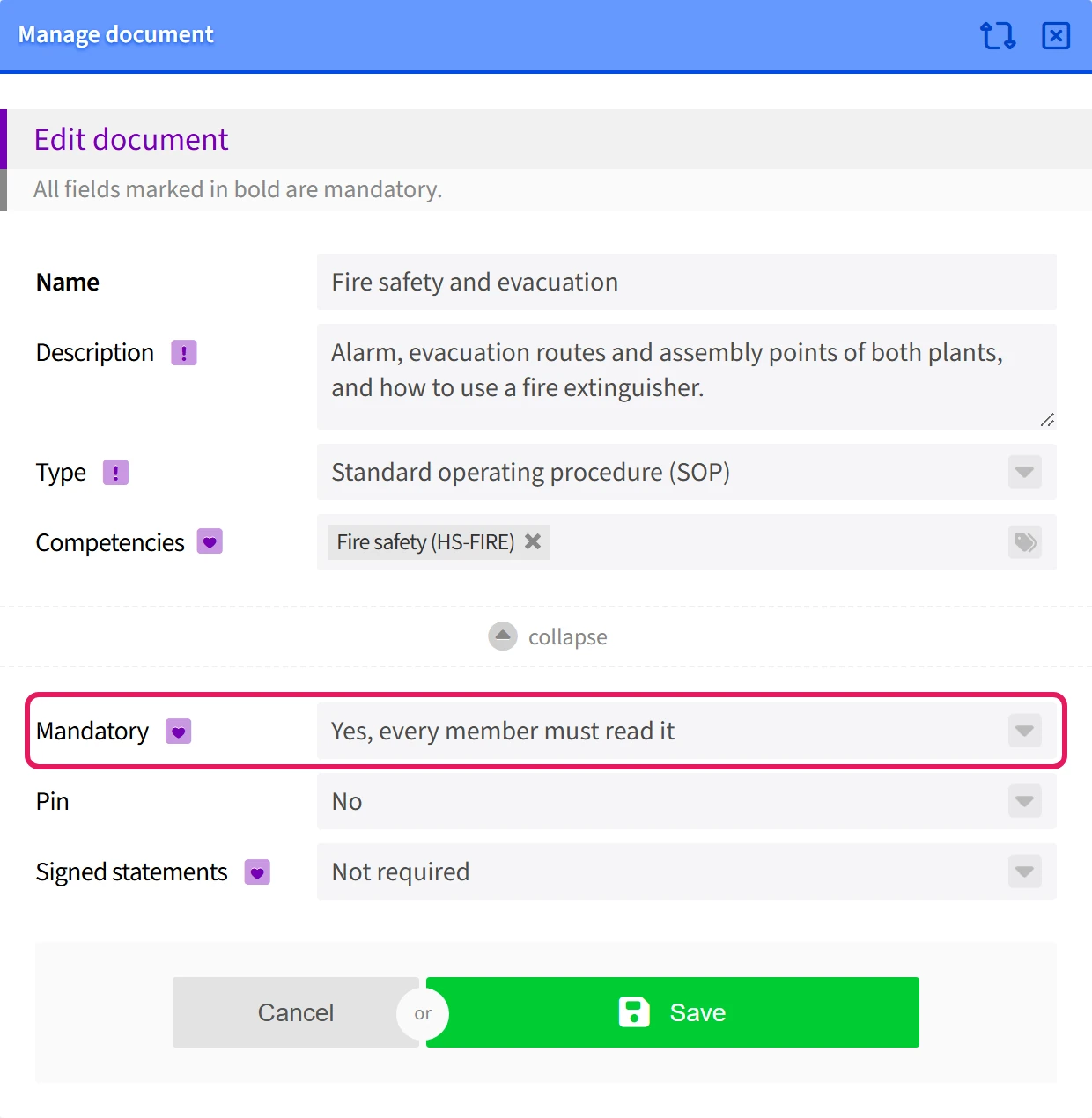
Library → the document → Manage
Required reading works without competencies. To make it part of someone's qualification, with a deadline and reminders, add the document as a requirement of a competency instead, or as well. See Requirement types.
What counts as read
A member has read the current version when they have downloaded all of its files, or chosen mark as read on the document. Until then, the document is marked mandatory, has a red edge, and says what is missing:
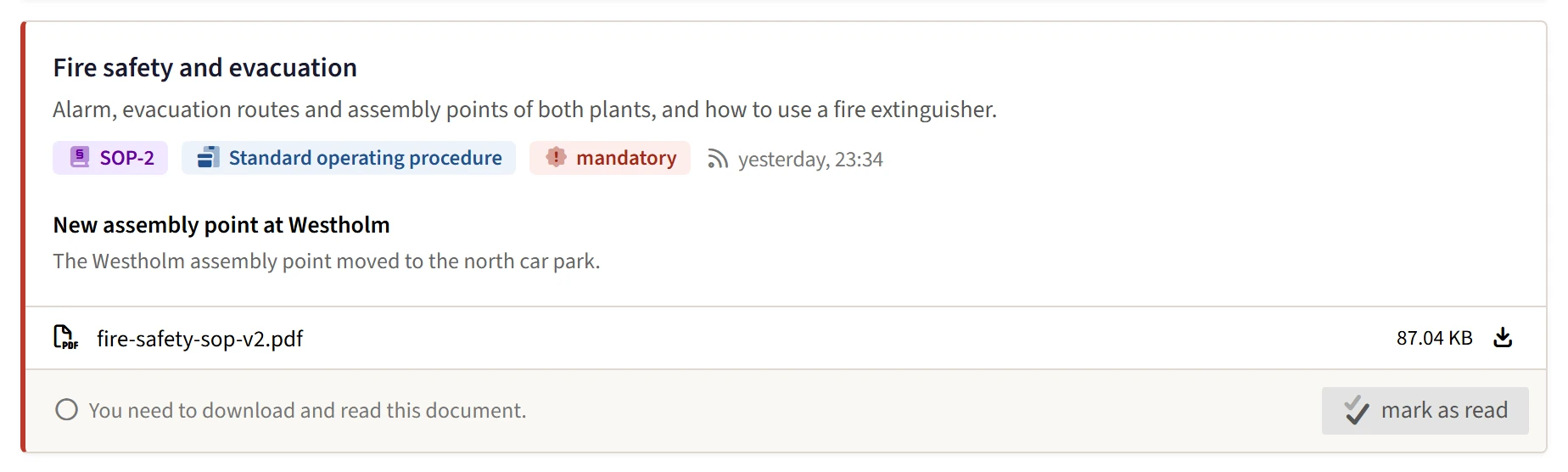
The library, as a member
Members can filter their library to mandatory and not read documents.
A new version means reading again
When you publish a new version, everyone has to read it again: the read state applies to the current version only. The member above had read the first version of the fire safety procedure; the second version, with a new assembly point, is waiting for them.
See who has read it
For managers, each document shows how many members have read the current version (for example "34 members read"). Reading uses the same records as document requirements, so a member who has read the document has also fulfilled any requirement built on it.