Parameterized Excel, Word and CSV attachments
In a parameterized question, EduBase can also write each participant's values into the question's attachment. Every participant downloads their own file: a CSV dataset to analyze, an Excel workbook with their own figures, or a Word case description with their own names and amounts. The file name can carry parameters too. The answers are then checked against each participant's own values.
How it works
Write parameter names in curly brackets in the file, exactly as in the question: {x1}, {mean}. When a participant downloads the attachment, EduBase makes a copy, replaces every known parameter with that participant's value, and serves the copy. Your uploaded file is never changed. Text in curly brackets that is not a parameter of the question stays as it is.
| File | Where parameters are replaced |
|---|---|
Text files: txt, csv, tsv, json, xml, html, md, yaml, tex, svg, srt, vtt, ini, log, sql |
Anywhere in the text. |
Excel: xlsx, xlsm |
In the cells of every worksheet. A cell that holds only a parameter gets a number when the value is a number, and formulas that use it are recalculated, so a total or a chart follows the participant's data. |
Word: docx |
In the body, headers, footers, footnotes, endnotes and comments, even if Word split {x1} into several formatting runs. |
PowerPoint: pptx |
In the slides and their speaker notes. |
Add a parameterized attachment
-
Prepare the file with the parameters in it. In the demo exam, the first question's file
dataset_{set}.csvcontains:student,score 1,{x1} 2,{x2} ... 8,{x8} -
Open the question in the editor, and under Add or manage images, media and attachments, set Attachment to Upload new attachment and choose the file.
- Define the parameters the file uses under Parameters, and use them in the answer: here
{mean}, a formula over{x1}to{x8}. See Parameter types and constraints. - Save, then choose try to see the question as a participant would.
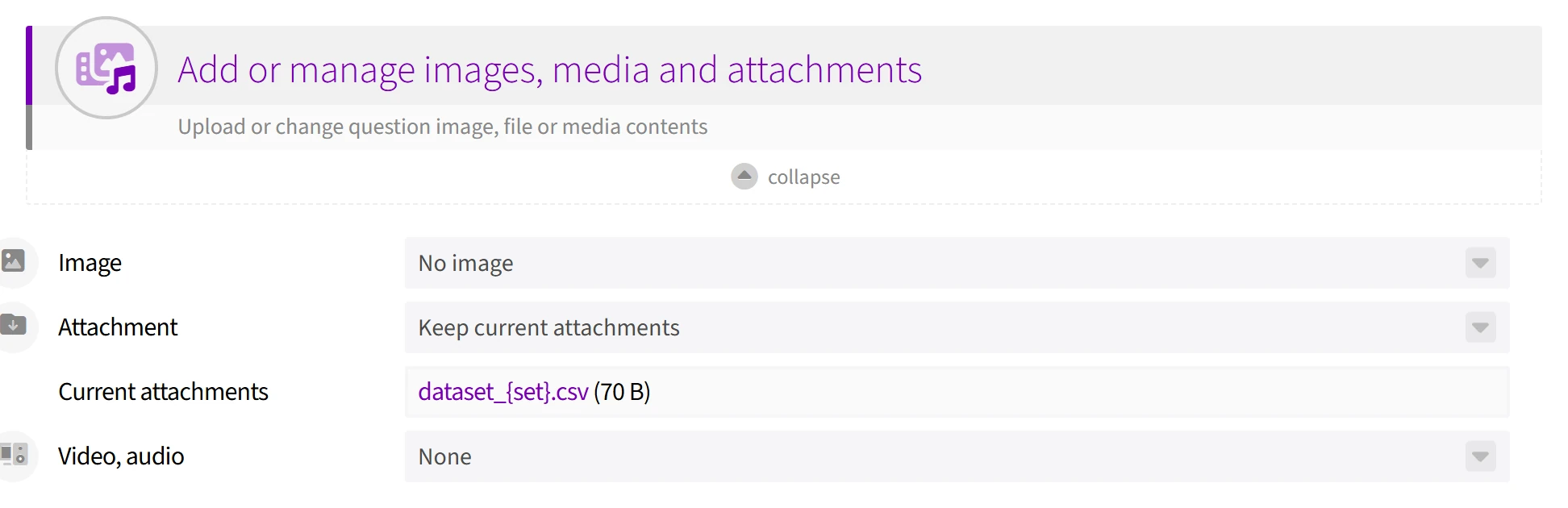
Question editor → Add or manage images, media and attachments
In the test, the participant sees the file under the question with their own name, such as dataset_287.csv, and the rows inside it hold their own eight scores.

Question editor → try
Over the REST API and the MCP server, the attachment field of a question takes the file name and the Base64-encoded content, in the form name=content. The same parameters apply.
Limits
- Files larger than 20 MB are served unchanged, without parameters.
- ZIP archives and file types not listed above are served unchanged. Where your account allows one attachment per question, the editor suggests bundling several files into an archive; a bundled file is then not parameterized.
- In Excel files, parameters are replaced in cells only, not in sheet names.
- Whether questions can have attachments, and more than one, depends on your account's settings.