Define a competency
A competency in EduBase is a qualification or skill that some members of an organization must have and keep, such as fire safety, forklift operation or GMP hygiene. You define it once, decide who needs it, and list its requirements: documents to read, exams to pass, classes or journeys to complete, or training recorded by hand. EduBase then works out each member's status. For how the parts fit together, see Competency management.
Before you start
- The organization has the document library and competencies switched on, and you can manage its competencies (organization administrator or a member with that permission).
- For assignment by department or job role, the departments and job roles exist.
Create the competency
-
On the organization's management page, open Competencies. The list shows every competency with its external ID, who it is assigned to, its documents and requirements, how many members completed it, and how many are due, overdue, expired or outdated.
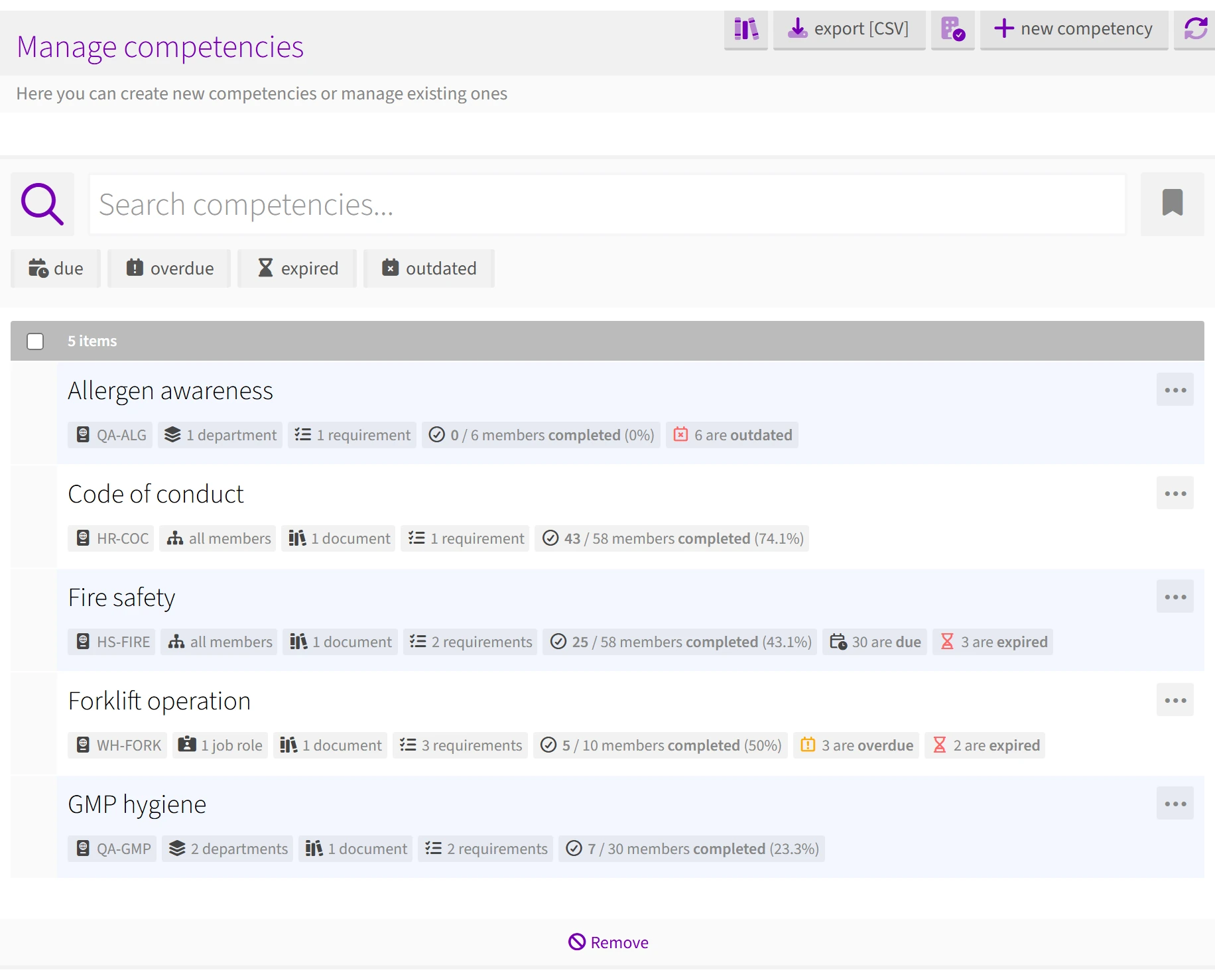
Organization → Manage → Competencies
-
Choose new competency.
- Enter the Name and a Description of the skills and entitlements it stands for. "This can also be displayed to members!"
- Expand the form. Enter an External ID if an HR, EHS or other register knows this qualification by a code; it appears on the competency's card and in exports.
- Under Assign, choose who needs it: Individually on the members page, Organizational units and job roles, or All members. See Assign competencies by department or job role.
- Add.
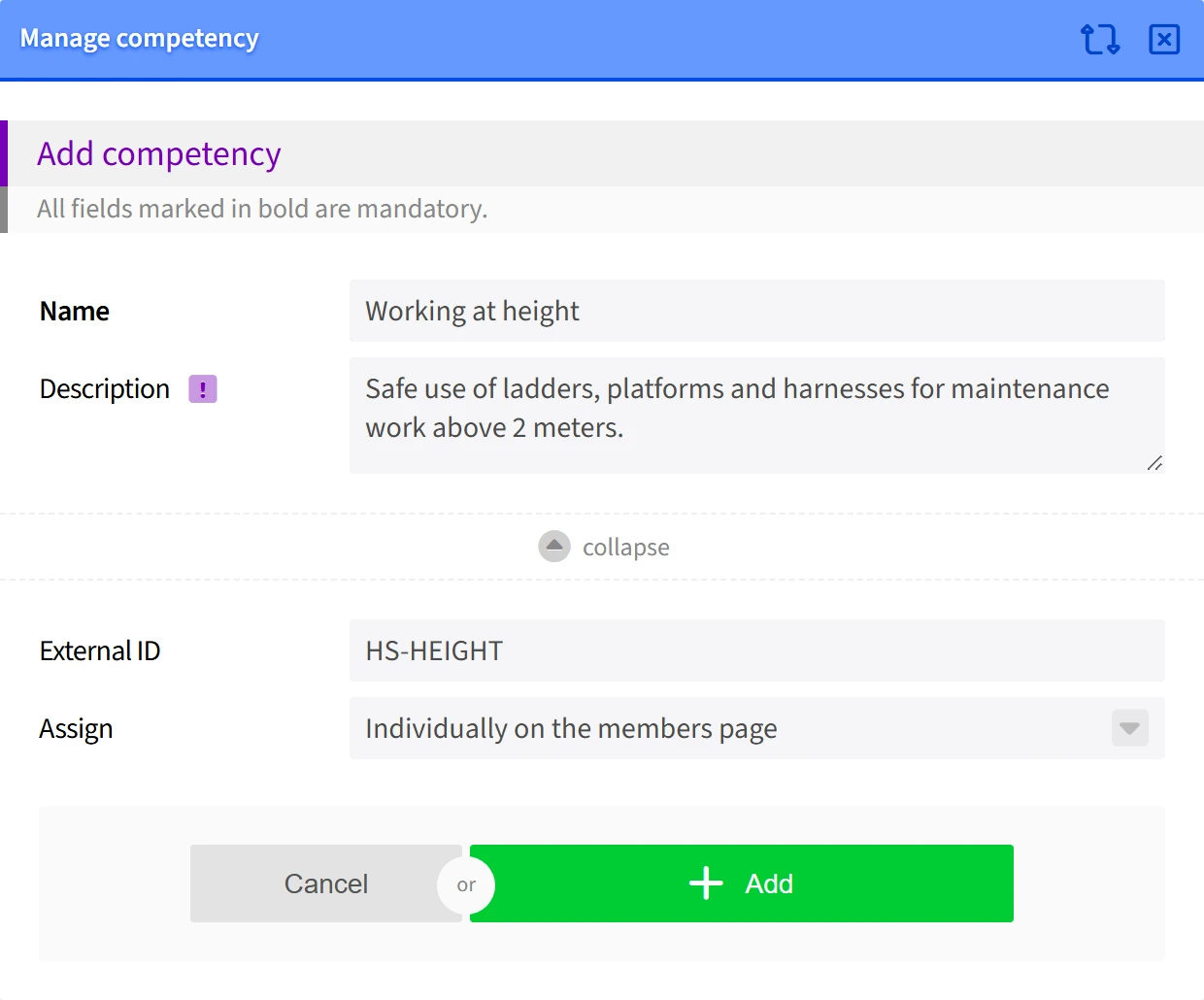
Competencies → new competency
Add its requirements
A new competency has no requirements, so nobody can complete it yet. Open its menu (...) → Requirements and add what members must do: read or sign a library document, pass an exam, complete a class or a journey, or a training that a trainer records. Each requirement can have a deadline and a validity period. See Requirement types and Validity periods and deadlines.
To connect library documents, choose the competency under Competencies in the document's settings. Members see the documents of their competencies in the library.
Check the result
- The competency appears in the list with the number of members it applies to.
- Members see it on their My competencies page, with what they still have to do. See My competencies.
- Statuses update when members act. Update the status of competencies (the refresh button) recalculates every member at once, for example after you change requirements.
Change or remove a competency
Manage in the competency's menu changes its name, description, external ID and assignment. Changes to the name and description show to members at once.
Remove deletes the competency with its requirements and every member's progress on it, including the training records, custom field values and uploaded proofs. This cannot be undone; export first if you need the records.
Limits
- A name is at most 255 characters, an external ID at most 64.
- Assigning by department or job role needs at least one department or job role selected.
- Competencies belong to one organization; they are not shared between organizations.