Job roles
A job role in EduBase records what a member does, next to the department that records where they sit. Job roles cut across departments: forklift operators can work in any warehouse, lab technicians at any site. Their main use is assigning competencies to everyone with the same job, and filtering the compliance overview by job.
Create a job role
- On the organization's management page, open Job roles and choose new job role.
- Enter the Name. Expand the form for the External ID, for example the job code in your HR system.
- Save.
The list shows each job role with its external ID, its members, the competencies assigned to it, and when it changed. Filter to job roles with members or with competencies.
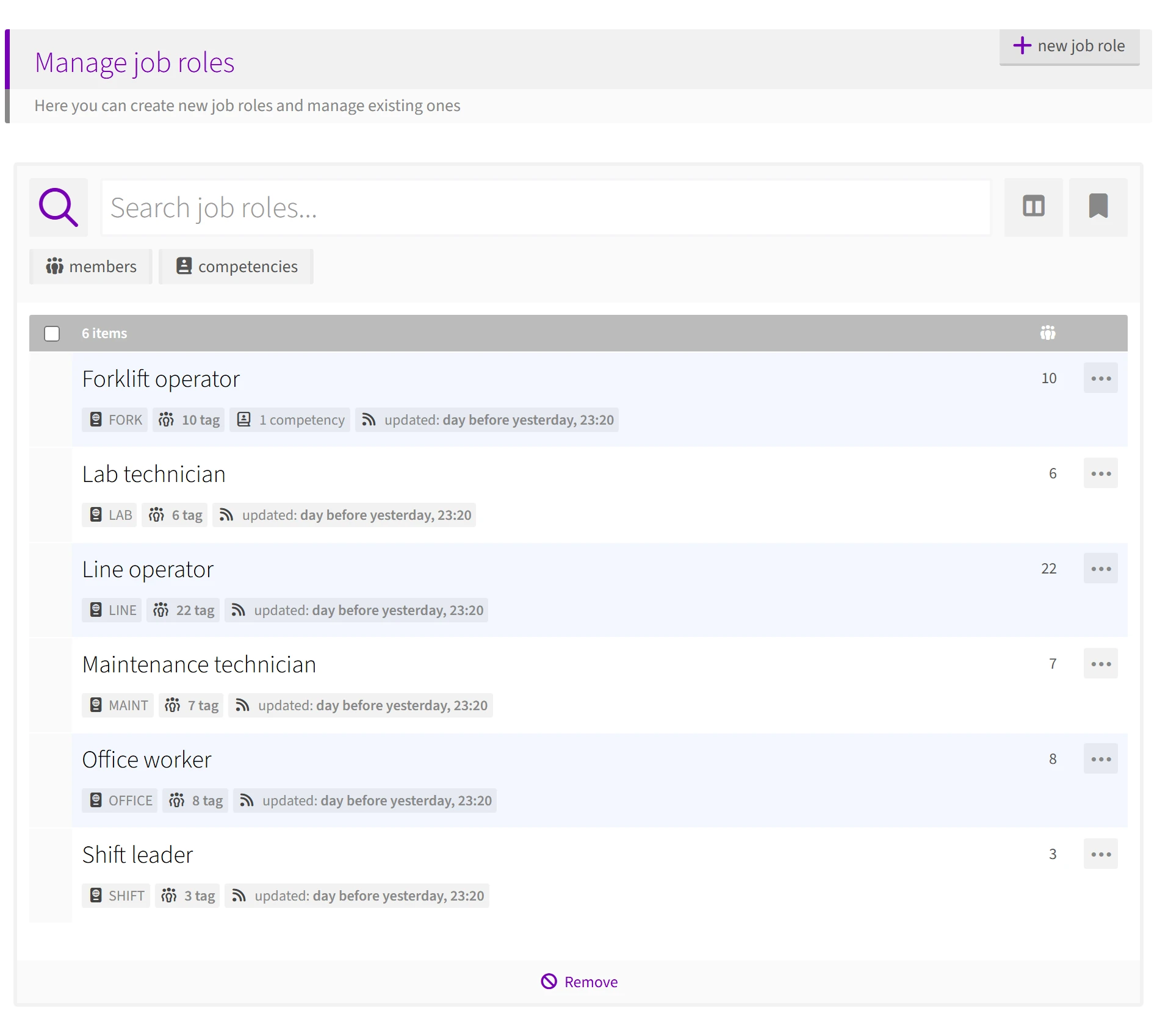
Organization → Manage → Job roles
Click a job role to see how many members hold it and which competencies come with it. manage opens its settings.
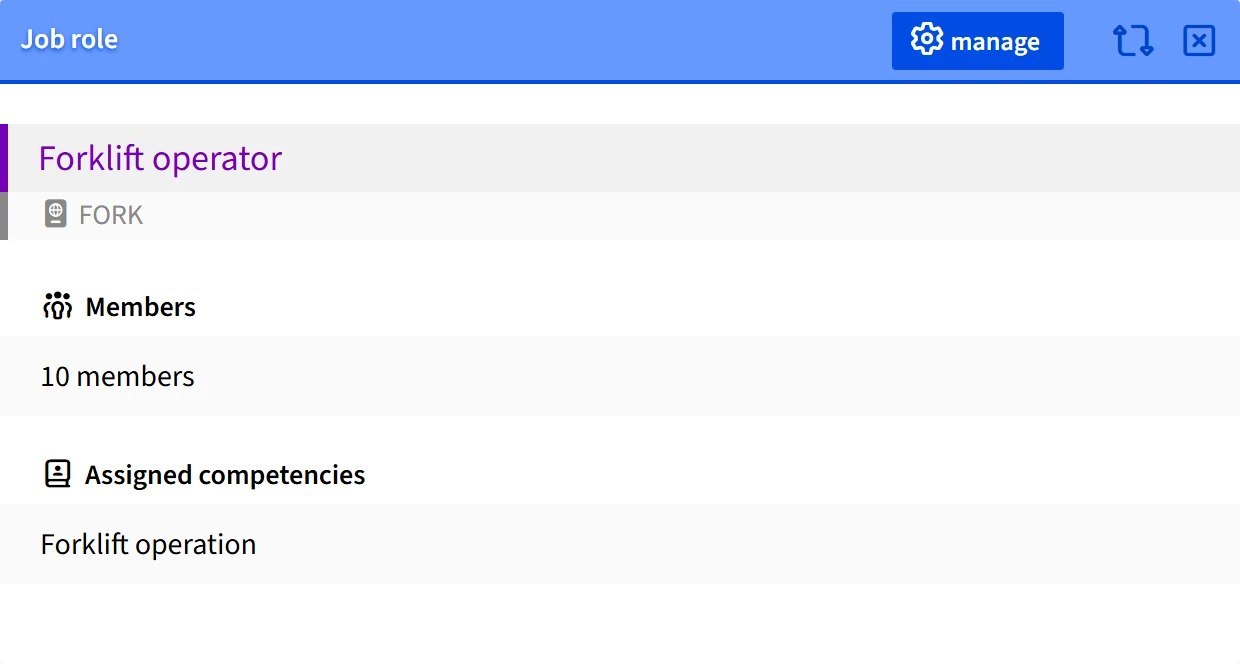
Job roles → Forklift operator
Give members their job role
- One by one or for several members at once: on Members, open Settings for a member, or select several and choose Settings, and set the Job role.
- Over the API, together with the department, when members are added or updated, or from an HR synchronization.
A member has one job role at a time.
What a job role change does
When a member's job role changes, they get the competencies assigned to the new job role and lose those they had only through the old one, together with their progress, records and uploaded proofs on them. The Settings window warns before saving. Competencies they also hold through their department or individually stay.
Assign competencies by job role
In a competency's window, under Assign, choose Organizational units and job roles and pick the job roles. Everyone with one of them gets the competency, in any department. See Assign competencies by department or job role.
Remove a job role
Remove in a job role's menu clears it from its members. The competencies assigned through it are withdrawn, with their progress, and the members' statuses are recalculated.
Limits
- One job role per member.
- Job role names are unique within an organization; an external ID is at most 64 characters.
- Job roles carry no permissions. What a member may do comes from their department or their custom permissions; see Permissions and member visibility.