Permissions and member visibility
EduBase decides what someone may do in an organization on two axes: what they can do (the account type and the access level to contents) and whose data they can see (member visibility). Both come from the member's department by default, can be set per member, and can be narrowed with restrictions. Separately, a single exam, Quiz set, class or other content can be shared with a person at a chosen level.
Three settings per member
| Setting | Choices | What it decides |
|---|---|---|
| Organization | Member, Auditor, Supervisor, Instructor, Admin | The account type and its access to the organization's settings, members and list of contents. Auditor, Supervisor, Instructor and Admin also get audit, supervision, management or administration rights in the organization. |
| Contents | None, View, Audit (report and view), Supervision (moderation and viewing), Management (modification, moderation and viewing), Full control (except for deletion), Administration (except for deletion) | Access to every content of the organization, through its management page. |
| Members | Only my own, Own organizational unit and its subordinates, Entire organization | "You can view the information, results, and competencies of these members within the organization, as well as in the available contents." |
Member visibility applies everywhere: in lists, results, competency pages, exports and reports, and over the API. People from different departments or partner companies can share one organization without seeing each other.
Department defaults
Every department has these three settings under Permissions; its members get them. Change the department's settings and its members change with it. Members of a department see the members of the departments below it, but permissions are not inherited down the tree. See Departments, hierarchy and leaders.
Leading a department is separate from these permissions: a leader can stay a Member and still follow their people on My team.
Give one member custom permissions
- On Members, open the member's menu (...) → Settings, or select several members and choose Settings.
- Set custom permissions to Yes, override the permissions of the organizational unit.
- Choose Organization, Contents and Members for them.
- Under Limits, restrict what they may manage even with these rights: Restrict the management of the Library (documents and their versions) and Restrict the management of Competencies (competencies, requirements and members' competency records). Viewing stays available.
- Save.
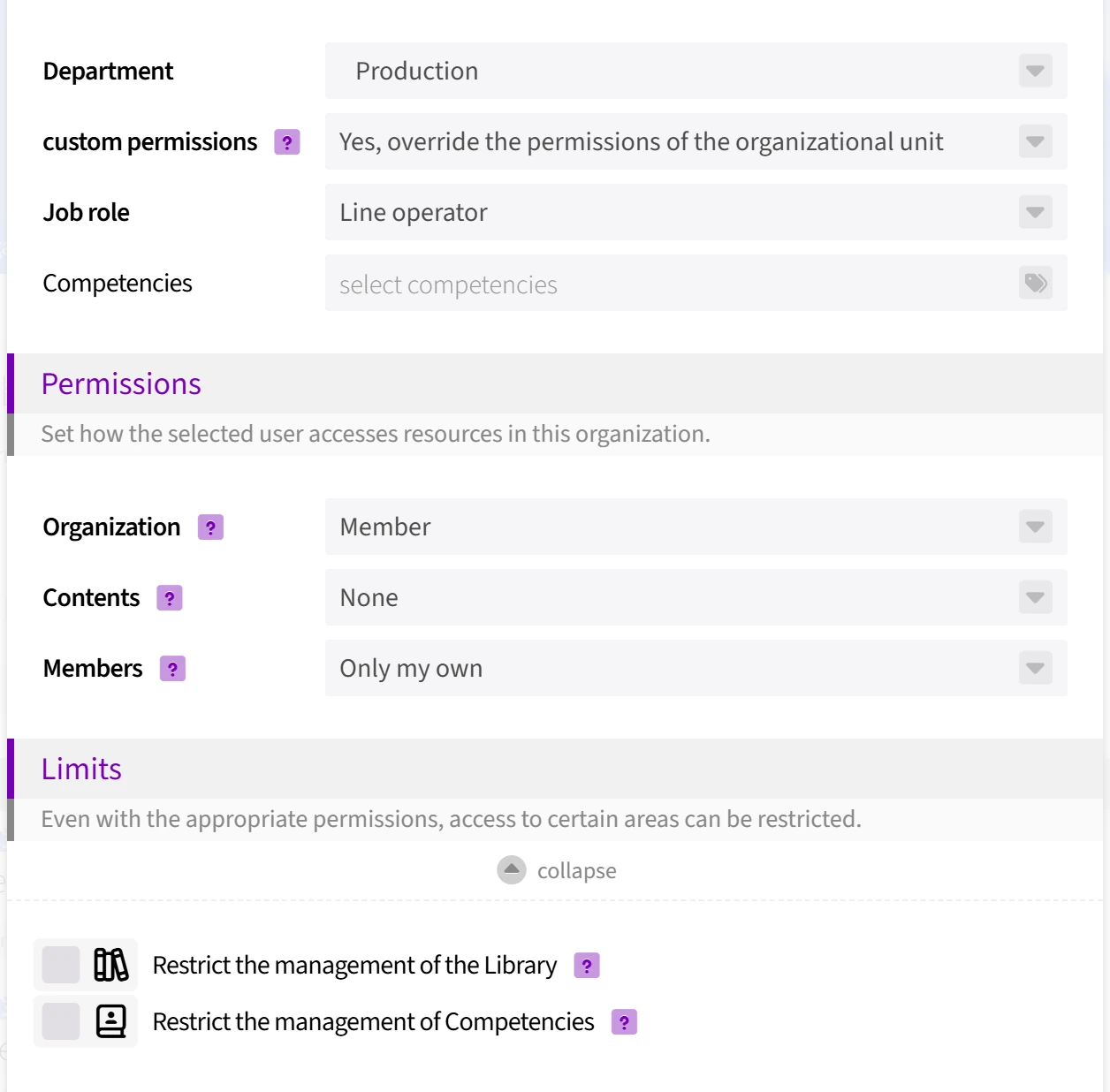
Members → ... → Settings
Custom permissions "are not overridden when the unit is modified", and are lost when the member moves to another department. Restrictions only take rights away. They let you separate duties within one organization: the person who maintains the documents need not be the one who signs off qualifications.
Share one content
An exam, Quiz set, question, question group, class, course, file, event or API integration can be shared with a person, a team, class members, organization members or a whole organization. Open the content's permissions page, choose new permission, pick the Recipient and the Permission level. The window lists what the level allows, from View to Administration (except for deletion); deleting stays with the owner.
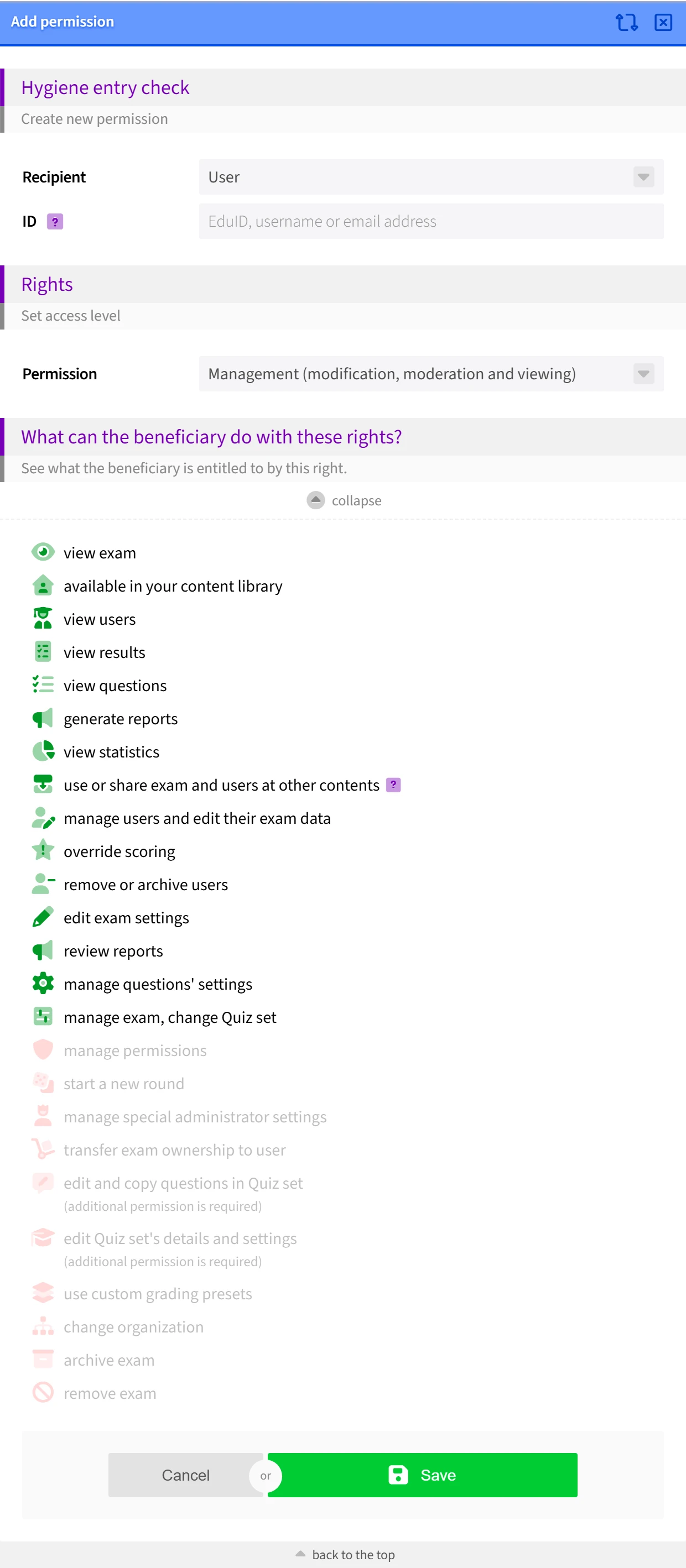
The exam → permissions → new permission
The same can be done over the API, with the content permission endpoints. Sharing a content does not change the person's organization permissions.
Administrators of the installation
On a dedicated or on-premise installation, global administrators manage the whole installation: every organization, account and setting, with an overview of running exams and of journeys with stuck participants. They are appointed together with the EduBase team.
Limits
- One department and so one set of default permissions per member; anything else needs custom permissions.
- Restrictions exist for the library and competencies only.
- Moving a member to another department removes their custom permissions.
- Content permissions never include deleting the content.