Decide what participants see afterwards
An EduBase exam decides when participants see their results, and how much of them: score, grade, task-by-task results and correct answers. The settings are in the exam's Basic data and settings, under View results.
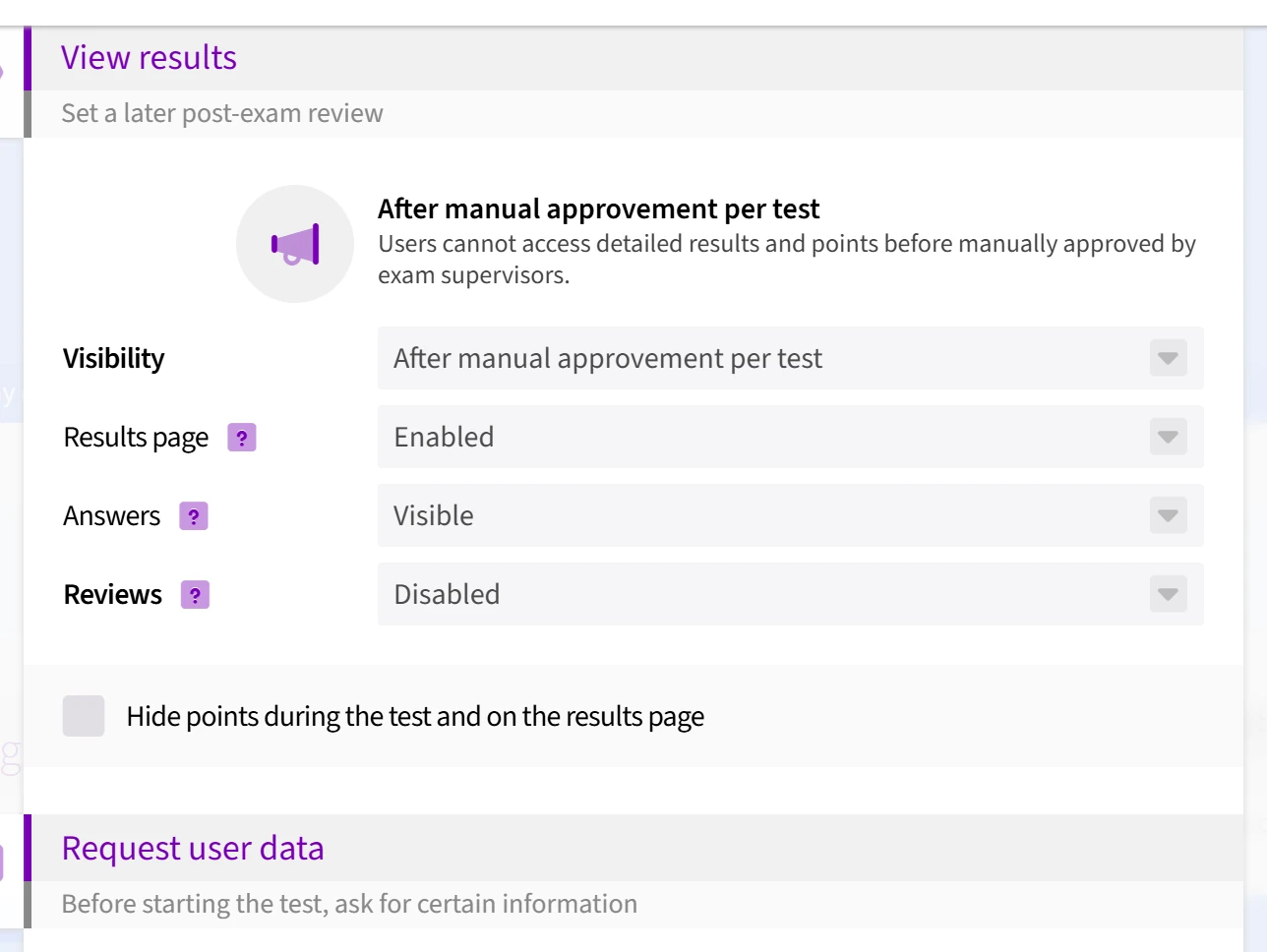
The exam → Basic data and settings → View results
Choose when results are visible
Visibility has six options:
| Option | What participants see |
|---|---|
| After finishing the test | Their detailed results right after the test, while the exam is open. Generated accounts see them until they sign out. The default. |
| Anytime during the exam | Their results right after the test, and again whenever they sign in until the exam closes, generated accounts too. |
| After submitting exam and again after a certain date and time | Their results right after the test, and again from a date and time you set. No new tests can be started from then. |
| After a certain date and time | Nothing detailed until the date and time you set; then they can sign in again to see their results, generated accounts too. |
| After manual approval per test | Nothing until a supervisor publishes their result. |
| Never | No detailed results. Turn off the Results page to hide the total points as well. |
The date and time must fall between the exam's opening and closing.
With After finishing the test, Only show results in the last hour is on by default. On an exam that opens and closes on the same day, participants then see their task-by-task results only in the last hour of the exam, so early finishers cannot pass on the answers. It has no effect on exams longer than a day.
Release results one by one
With After manual approval per test, each result waits for you on the exam's Users and results page. Open a participant's menu (...) and choose Publish, or select several participants and use Publish above the list.
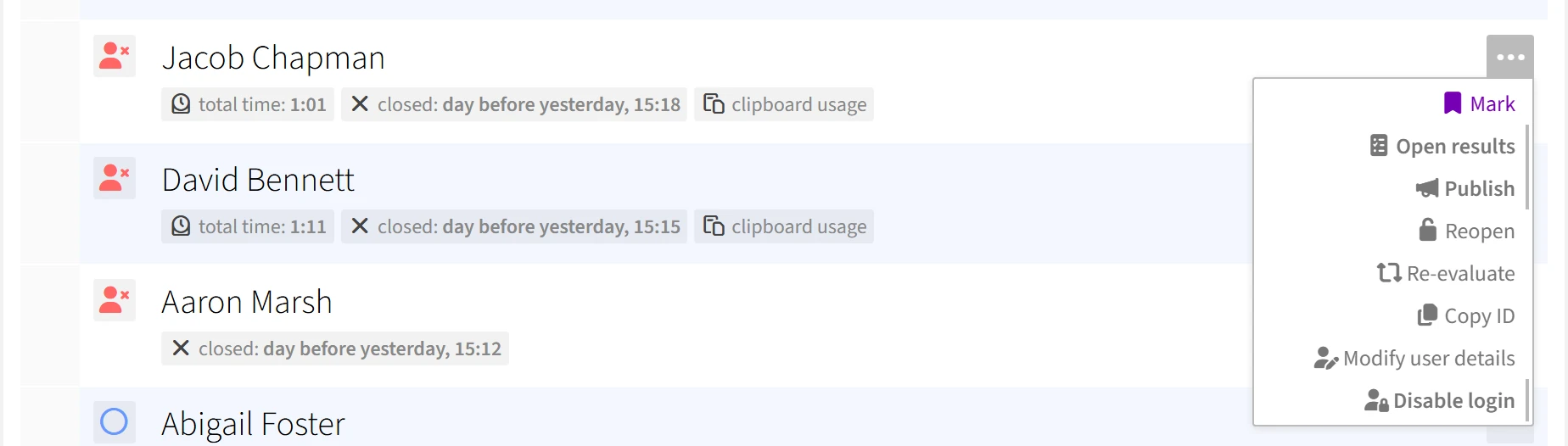
Users and results → the participant's menu → Publish
Publish appears once nothing in the result is waiting for manual scoring. Publishing sends the participant a notification with a link to the results page and, if the exam sends certificates by email, their certificate.
Choose what the results page shows
- Results page: whether participants are taken to their results page after the test. It can be turned off only with After a certain date and time, After manual approval per test or Never. With manual approval, the page still opens once you publish.
- Answers: Visible or Hidden. Hidden keeps the correct answers from participants during the test and on the results page. Scope saves the choice for this exam or for the whole Quiz set.
- Hide points during the test and on the results page: participants do not see what each question is worth or the points they scored. With a grading, Hide grade on the results page then hides the grade as well.
- Hide results during the test: in the Rounds and Mini modes, participants do not learn whether an answer was right before moving on.
A result keeps the answer visibility in force when its test started. To apply a later change to earlier results, for example to hide the answers of an exam you will reuse, turn on Enforcing the visibility of answers, even for previous results.
Let participants look up results with an identifier
With After a certain date and time or After submitting exam and again after a certain date and time, Login with identifier lets participants open their results by entering a unique value they gave before the test, such as a student ID, on a separate page, without a password. Participants with their own accounts still have to sign in. The field must be a unique data field the exam asks for; see Collect participant data at the start and, for the participant's side, See your results.
Let participants ask for a review
With Reviews set to Enabled, participants can mark tasks after the test and ask for the scoring to be reviewed. You can then give extra points for the task and close the review; the participant is notified. See Score answers by hand and re-evaluate.
Limits
- With After finishing the test or After manual approval per test, task-by-task results are no longer shown 60 days after the exam closed, or once the participant's certificate has expired.
- Hide results during the test exists only for the Rounds and Mini modes.
These settings can also be read and changed over the REST API and the MCP server (exam settings); publishing results is done on the page.