Versions, identifiers and document types
Every document in the EduBase document library is a series of versions. A new edition of a procedure is uploaded as a new version of the same document, gets its own permanent code (for example SOP-2), and replaces the previous one for members. Document types group documents, such as policies or standard operating procedures, and give their versions a shared code. This is what a quality system calls document control or a document register.
Add a new version
- Open the organization's Library, then the document's menu (⋮) → Add new version.
- Version: leave Automatically, which shows the next code, for example Automatically (SOP-3), or choose Specified manually and enter a higher number. Numbers only go up: the window shows the lowest one allowed.
- Files: choose one or more files. The maximum file size, set for your organization up to 100 MB, is shown under the field (20 MB on the demo account).
- Expand the form to give the version a Name and a Description of what changed ("This can also be displayed to members!"), and an External ID, such as the number your QMS, DMS or a regulator uses.
- Upload.
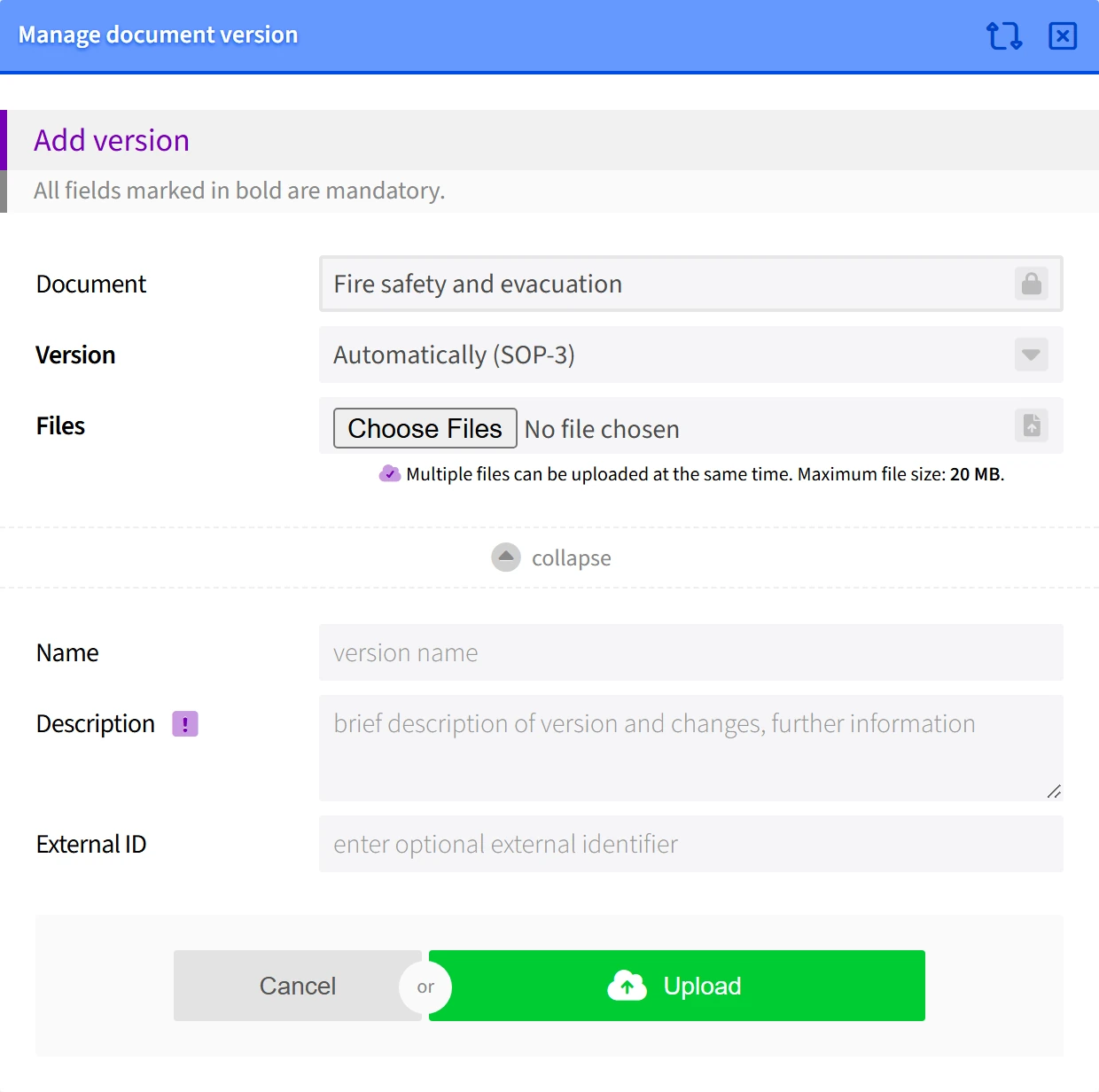
Library → ⋮ → Add new version
The version is published at once and members see it in place of the previous one. Where the document is required reading or needs a signed attestation, members have to read or sign the new version, and EduBase recalculates their competency statuses. If your organization uses approval of new versions, the version is saved as a draft instead, and members see it only after the reviewers approve it; the previous version stays in effect until then.
Correct a version
Edit version in the document's menu changes the current version's Name, Description and External ID. Its files cannot be changed: "Files in a specific version can no longer be modified. Upload a new version instead." A draft that waits for publication or approval is the exception; its files can be replaced until it is sent for approval.
A document can have only one version waiting at a time. Publish it or withdraw its review before you upload another.
How version codes are built
A version code is a prefix and the version number:
| The document has | Code of version 2 | Where the prefix comes from |
|---|---|---|
| A type with the code SOP | SOP-2 | The type's Code |
| No type, Prefix WH-FORK | WH-FORK-2 | The document's Prefix, set when you add or manage the document |
Codes never change once given: changing a type's code affects only new versions ("The identifiers of existing versions will not change!"). Library search finds documents by version code and by external ID, and managers see the external ID on the document's card.
Manage document types
Open Library → types. Organization managers can add a new type with a Name and a Code, and later edit or archive it. "The archived type can no longer be selected for new documents, but it will remain available for existing documents." Remove deletes a type nobody uses; a type that documents use is archived instead.
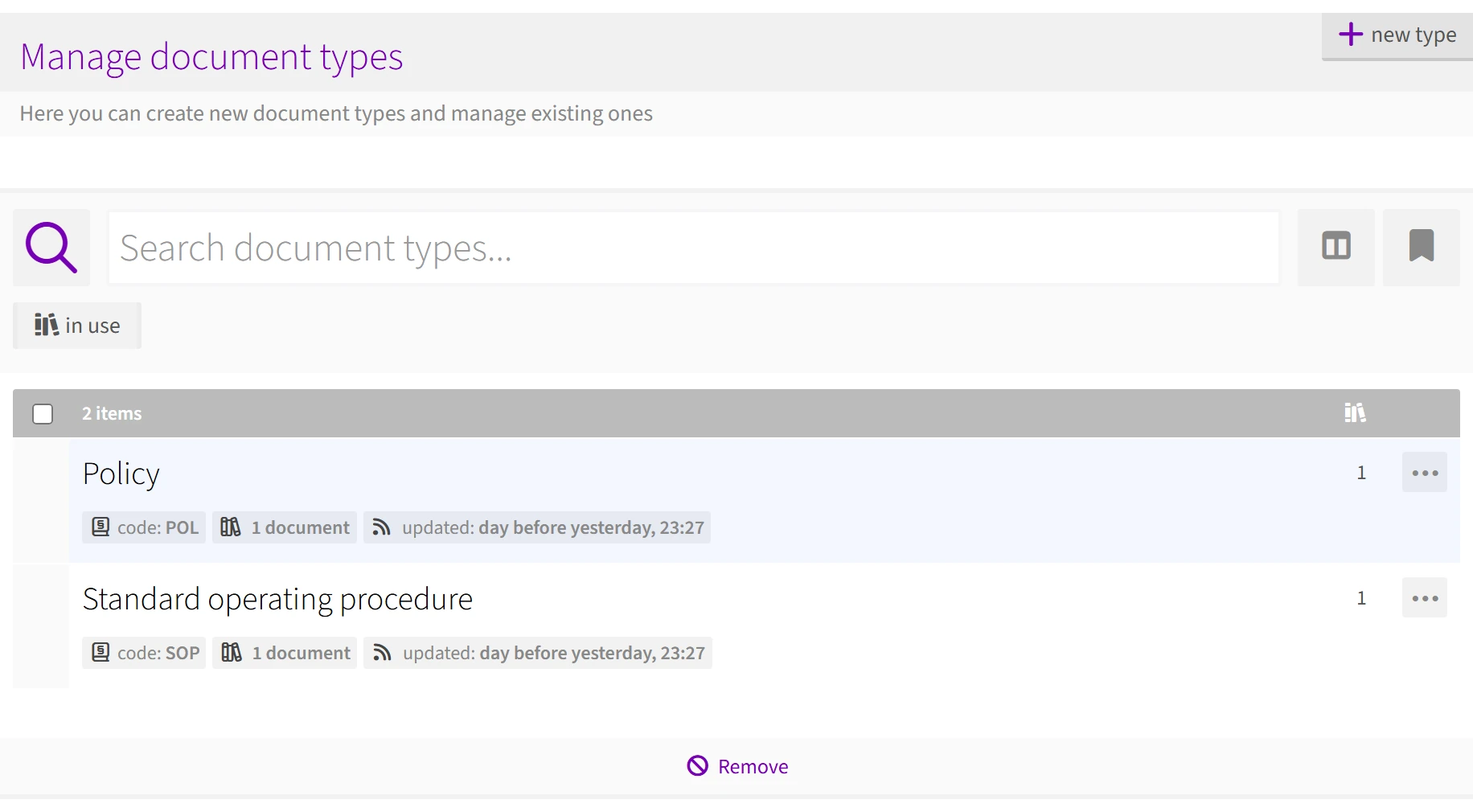
Library → types
Where approval of documents is used, a type can also require approval of every new version and set a periodic review cycle in months for its documents.
Limits
- Members see only the latest published version of each document. The library does not list earlier versions or offer to restore one; to bring back an earlier text, upload it as a new version.
- Version codes must be unique. A document with a type takes its codes from the type alone, so two documents of the same type would both start at SOP-1, and EduBase refuses the second one's first upload without a message. Until this changes, give such documents their own prefix and no type, or use one document per type.
- An external ID is at most 64 characters, a version name at most 255.
- Uploading stops when the organization reaches its storage limit.