Courses and required learning before an exam
An EduBase video course is an ordered set of learning content: videos and live streams, Quiz sets for practice or a closing course exam, and events, with supplementary files and statistics. A course, or a single video, can also be required before an exam: participants then have to watch it before they can start the test. This is how "watch the training, then take the test" works in EduBase, for example for a safety induction or a refresher before recertification.
Build a course
- Open My video courses and choose new video course.
- Set the Name, a Headline text for the colored bar, a Description, and the Type: Private course, or Public course to share it in the site's menu. Under Organization, you can give the course to your organization straight away.
- On the course's page, open Contents and add items with new video, new Quiz and new event. Each can be new, one of yours, one of your organization's, or one EduBase makes public.
- Use sort to put the items in order, and Settings on an item to limit when it is available (timed access).
A Quiz set in a course is either for Practice or a Course exam. The course page also has Files for supplementary material, Statistics, Reviews and Send to class.
Require learning before an exam
- Open the exam's management page and choose Video or Course.
- Set the Type to Video course or Video, and choose the course or video. Your own and your organization's courses and videos are listed.
- Set Mandatory:
- Yes: every video of the course, or the video, has to be watched before the test can be started.
- No: it is shown and recommended, but not required.
- For a single video, Minimum time sets how many minutes of it must be watched; 0 means no minimum.
- Choose Save.
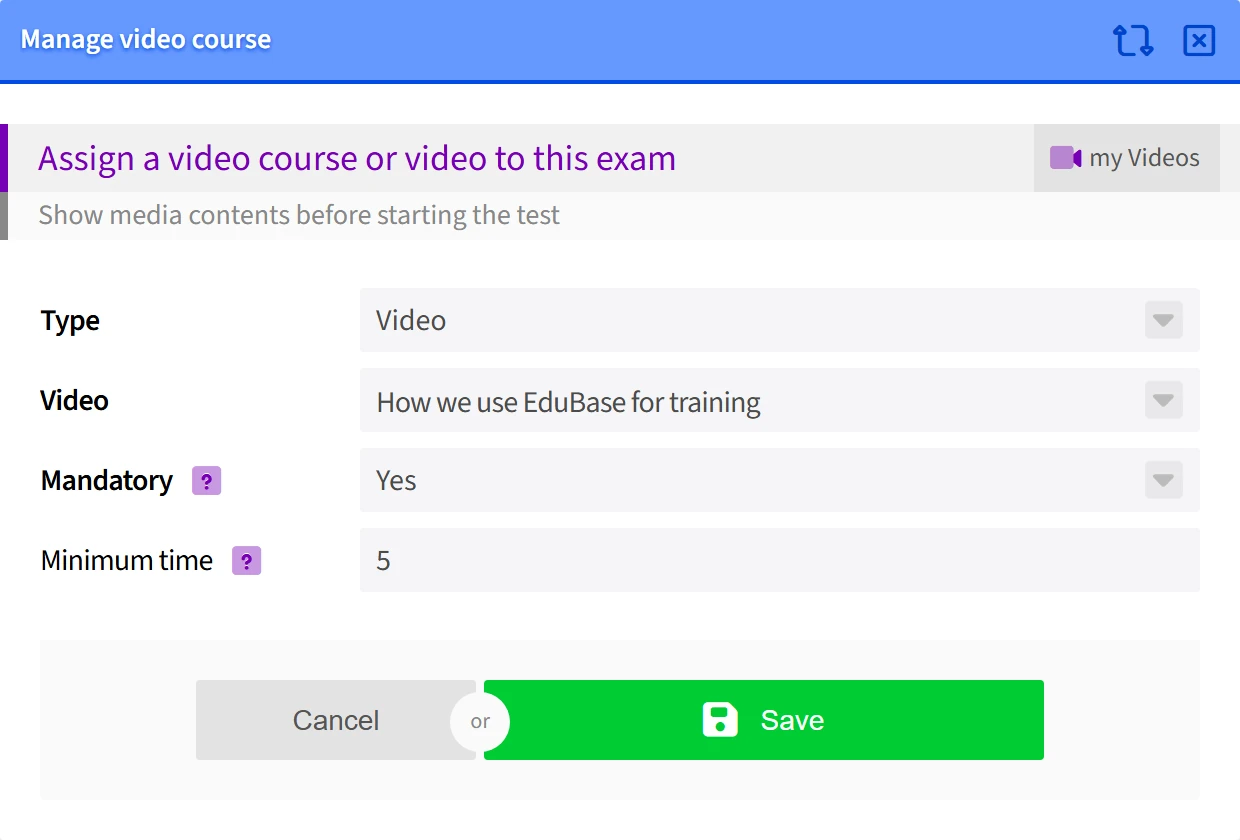
The exam → Video or Course
Participants see the course or video on the exam's start page, with "It is required to study this before the start of the test!" and how much of it they have completed. Videos in strict playback mode count only when watched in full; see Require videos to be watched in full. Only the course's videos count towards the requirement, not its quizzes or events.
Ask for fresh learning
Once an exam has learning materials, its Basic data and settings offer Study learning materials again (ignore completions): From the beginning of the exam, From now on, or After specific date. Viewings before that point no longer count, and the start page says so. For renewable certificates, EduBase also asks for viewing within the renewal period, so a refresher means watching again. See Validity, expiry and renewal.
Let someone skip it
When a participant has already studied the material elsewhere, a supervisor can choose Approve learnings in the participant's menu on Users and results. They can then start the test without watching.
Limits
- An exam takes one course or one video.
- Minimum time applies to a single video, not to a course.