Your certificates
Some exams issue a certificate when you pass, usually above a set percentage. EduBase keeps your certificates, so you can download them again, renew them before they expire, and let others check them.
Download a certificate
Right after the exam, the results page offers Download certificate when you earned one, with Certificate verification and, where offered, Add to my LinkedIn profile. If you passed but scored below the certificate's threshold, the page says so, and Try again is offered when the exam allows another attempt.
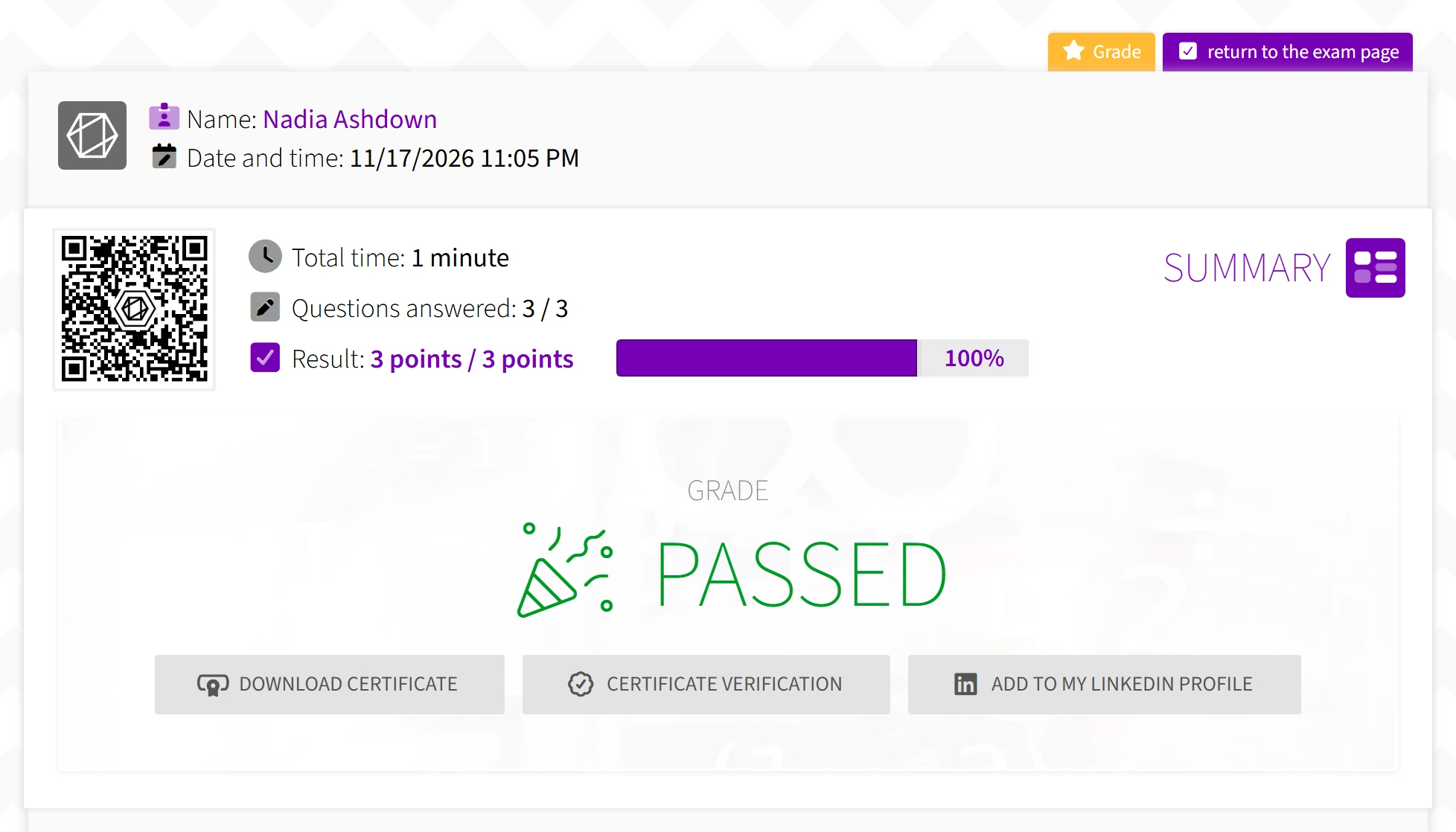
The exam → View my result
Later, open Certificates from your dashboard. The tile appears once you have a certificate, or one to earn. The page, Obtained certificates, lists:
- Valid certificate: with valid until and the result. Download it, Open results, Open verification page, copy its ID or serial number, or Add to my LinkedIn profile where offered.
- Expired, renewable certificate: choose Renew to take the exam again.
- Expired certificate: it can no longer be downloaded.
- Not yet acquired: certificates you have to earn, with their deadline. Open exam portal takes you to the exam.
The filters to do, renewable and expired narrow the list; the actions are in each certificate's menu.
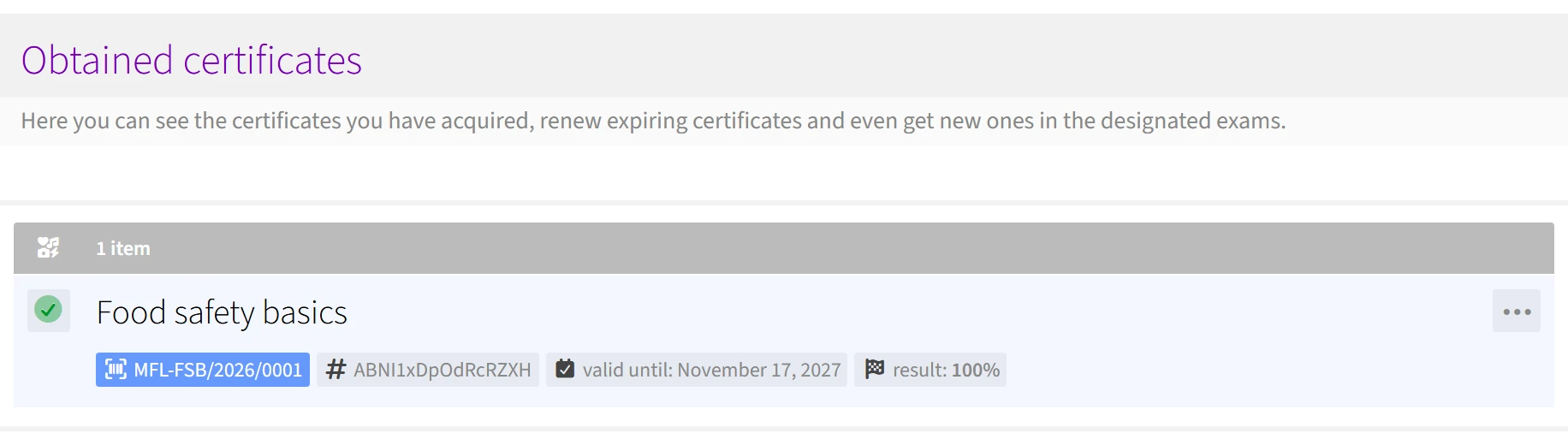
Dashboard → Certificates
Renew a certificate
Certificates with a validity period expire. Depending on the exam, you can renew from a set number of days before expiry, at any time, or only after a supervisor allows it. Renew starts the exam again; passing it gives you a new certificate.
Check a certificate
The QR code or link on a certificate opens its verification page. Anyone can open it, without an account. It shows whether the certificate is authentic and valid, with the name, the exam, the issue date, the validity, the serial number and the verification code; these must match the certificate. An expired or revoked certificate is shown as authentic but Invalid.
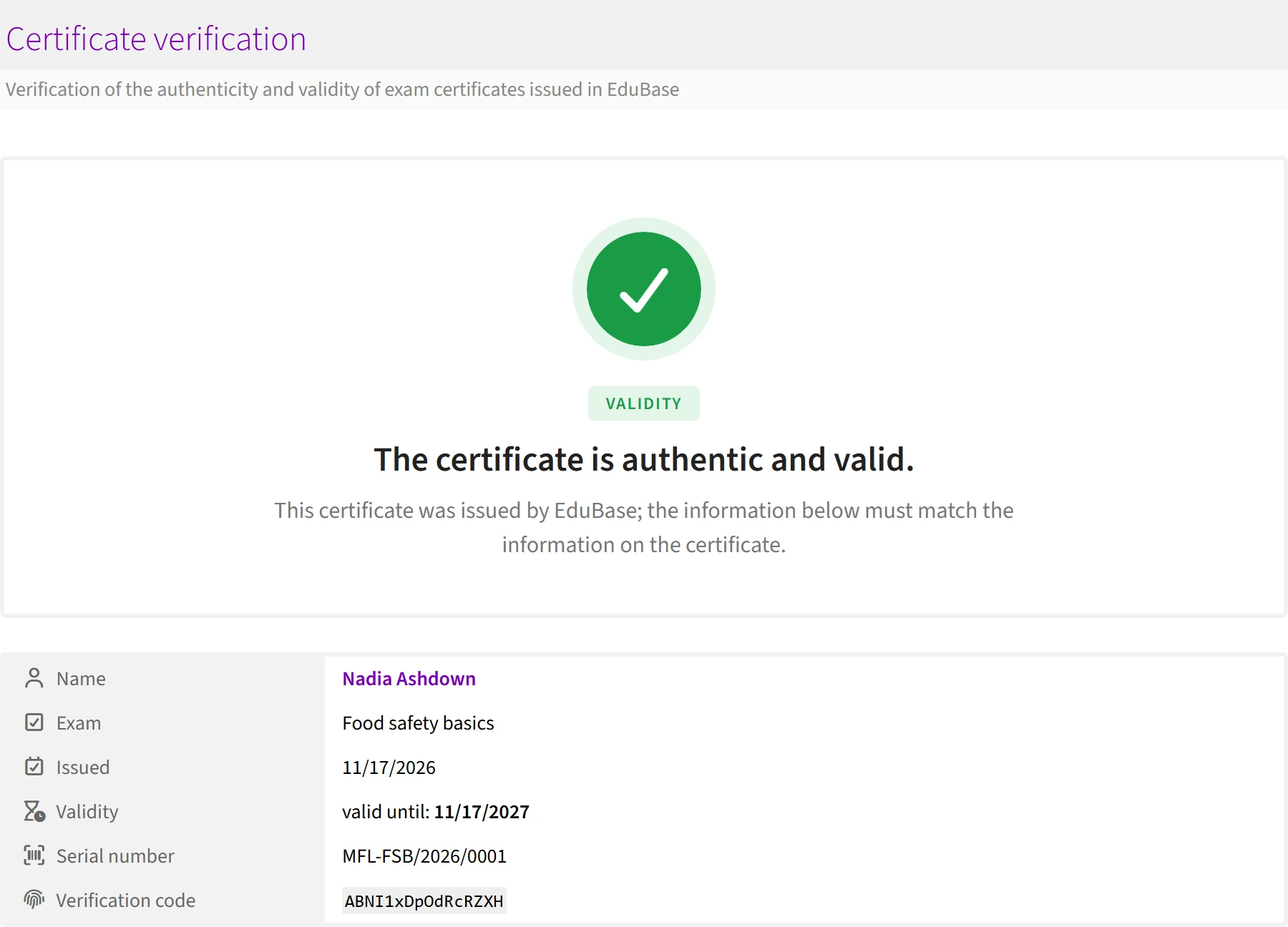
The certificate's QR code or link
If no certificate is found, check that you used the QR code or link from the certificate itself, or contact the organization that issued it. See How certificate verification works.